
Choose between ChatGPT and Claude for your work
Ten things to compare, with perks and trade-offs on both sides. The video makes the case for switching; the guide helps you make your own call.
By Alan Brown
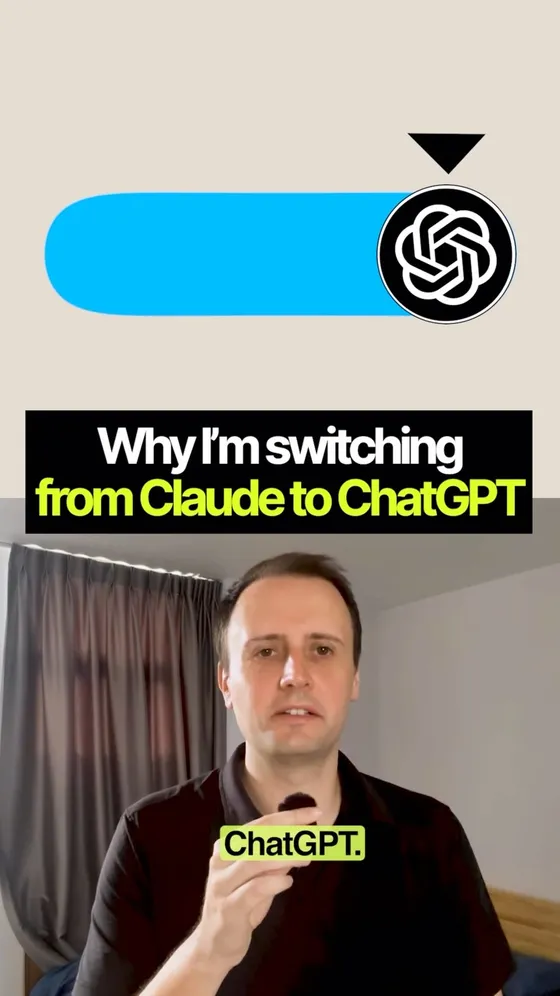
A switch can make sense for one person's work without making the other tool a bad choice. Start with the things you actually make each week, then compare the time, corrections and money it takes to finish them.
- Name the products first: ChatGPT's higher-usage personal plan is Pro; Claude's is Max. Codex and Claude Code are their coding tools. A chat subscription and a developer API bill are different things.
- The feature notes below come from official documentation. The practical advice is our interpretation, not a head-to-head benchmark. Neither a feature checklist nor one person's experience establishes which model is smarter or more reliable.
Side by side: perks & trade-offs
Last checked: 20 September 2026
Compare the exact plan, model and app you can access. Features, limits and regional availability change; follow the sources in each row before buying.
01 · Writing, documents & research
ChatGPT
Perk: A useful option when writing is part of a wider workflow: draft the text, work with files, then make supporting visuals.
Trade-off: A polished draft still needs fact-checking and editing for your voice. Having more tools does not establish better prose or more accurate research.
Claude
Perk: Artifacts give documents, decks and interactive tools their own editable space beside the conversation. Worth testing if most of your work is reviewing and revising a deliverable.
Trade-off: Artifacts require code execution and file creation to be enabled; some specialised creation features are paid-plan betas. Check quotations and citations yourself.
02 · Images & visual work
ChatGPT
Perk: Integrated image generation and editing keep visual iteration close to your brief and other work. Handy for concepts, illustrations and marketing assets.
Trade-off: Inspect text, details and consistency before using an image. Generation consumes usage, and access differs by plan and app.
Claude
Perk: Can analyse uploaded images and create editable diagrams, charts and interactive visuals using HTML or SVG.
Trade-off: Claude does not natively generate photos and illustrations in the same way an image generator does. You need another tool for that workflow.
03 · Voice conversations & voice apps
ChatGPT
Perk: Voice supports spoken interaction; OpenAI also documents GPT-Live for developers building real-time voice experiences into their own apps.
Trade-off: Using voice in ChatGPT is different from building a voice app. Developer API usage has separate billing and implementation work.
Claude
Perk: Claude has two-way voice conversations on supported mobile, desktop and web surfaces, including connected tools. Saying it has no voice is misleading.
Trade-off: Voice mode is a beta, and the documented Cowork and Claude Code experiences have different voice/dictation support. An app feature does not establish a comparable native speech API.
04 · Everyday work & model choice
ChatGPT
Perk: Luna is positioned for quick, high-volume tasks; choosing a smaller model can stretch your allowance for routine work.
Trade-off: That does not prove Luna is smarter than Sonnet. Compare exact model versions on your tasks, including corrections and retries.
Claude
Perk: Claude Code offers model selection so you can match the model to the job instead of using the most expensive option for everything.
Trade-off: Larger context and long sessions use more allowance. A cheaper response is poor value if it takes several attempts to finish the task.
05 · Integrations & connected tools
ChatGPT
Perk: Plugins and connectors let you bring outside tools and information into a task, reducing manual copying between apps.
Trade-off: A directory listing is not a connected account. Check authentication, permissions and whether the integration can perform the specific action you need.
Claude
Perk: Claude also supports connectors, skills and plugins. Your existing work tools may already fit its ecosystem.
Trade-off: Availability and permitted actions vary by connector and plan. There is no verified integration-count winner in this guide.
06 · Remote control & computer use
ChatGPT
Perk: Remote access lets you continue work away from your main machine; computer-use tools can interact with supported apps and browsers.
Trade-off: Remote access and an agent clicking through apps are separate capabilities. Setup, connectivity and permissions matter; 'no bugs' is not a defensible guarantee.
Claude
Perk: Claude Code Remote Control lets you continue local sessions from another device. Claude also documents computer use for Cowork.
Trade-off: A local session still depends on its host. Check platform support and supervise important actions; these docs do not establish a reliability winner.
07 · Coding & working in parallel
ChatGPT
Perk: Codex supports delegating bounded work to subagents, making parallel investigation and implementation possible.
Trade-off: Parallel work needs clear ownership and review. Forks or agents cannot guarantee a clean codebase, correct changes or conflict-free integration.
Claude
Perk: Claude Code has agent teams too, with separate sessions that can coordinate on a shared task. Parallel coding is not exclusive to Codex.
Trade-off: Agent teams are experimental, consume additional tokens and need coordination. Several agents editing the same files can still create conflicts.
08 · Scheduled tasks
ChatGPT
Perk: Scheduled tasks can repeat a defined job without you starting a new conversation each time.
Trade-off: Check where the task runs, what must stay online and what access it needs. Ease of setup depends on the job; 'one minute' is an experience, not a promise.
Claude
Perk: Claude Code routines support scheduled and event-triggered work in the cloud. Desktop also offers local scheduled tasks.
Trade-off: Local and cloud execution have different requirements. Cloud routines require an eligible paid plan and appropriate environment setup.
09 · Fast mode
ChatGPT
Perk: Fast mode offers lower latency on supported models, useful when you are actively waiting for the next iteration.
Trade-off: Speed uses allowance or credits faster. Judge the time to a correct finished result, not just the first response.
Claude
Perk: Claude Code also has fast mode for supported Opus models. The claim that Claude has no answer to fast mode is outdated.
Trade-off: It is a research preview. For subscription users it draws on separately paid usage credits rather than the included plan allowance.
10 · Free access & subscription value
ChatGPT
Perk: Free includes limited access to Work and Codex. Plus is listed at US$20/month; Pro starts at US$100/month with higher usage tiers.
Trade-off: Work and Codex share usage. Images and faster modes can exhaust it sooner; API use is billed separately. A paid plan is not unlimited access to every feature.
Claude
Perk: Free lets you try Claude and artifacts. Pro includes Claude Code; Max starts at US$100/month, with 5x and 20x usage options.
Trade-off: Claude Code is not included in Free. Chat and coding draw on shared subscription limits, and extra usage can cost more. Match tiers, taxes and billing periods before calling prices equal.
Which should you try?
Our practical take: try ChatGPT first if integrated image creation is central to your week. Try Claude if its artifact editing or Claude Code workflow fits the deliverables you make. For writing, research and coding quality, run the same three real tasks in both and count corrections, time and total cost. Start with free access where available; upgrade when a limit is actually stopping useful work.
Do this yourself
Identical briefs and a scorecard turn a brand preference into a decision you can check against your own work.
Want to build this with a teacher?
Pathwise Academy runs small, hands-on AI classes in Singapore for ages 10–17 and adults.