















watch, then steal it
Free AI prompts.
Every prompt comes with the short video that shows it working. Watch it, take the prompt, get on with it. Free to copy, nothing to sign up for.
Every video31 reels · tap to jump to anytap to close
Every video
31 reels · jump to any★ The world model|Creating content · Claude
Four free worlds, three metres deep
Marble really does turn one photo into a place you can walk around. It's ten months old, you get four goes before it costs money, and the walking stops about three metres in.
Get the scoopHide the scoop
★ The world model|Creating content · Claude
Four free worlds, three metres deep
Marble really does turn one photo into a place you can walk around. It's ten months old, you get four goes before it costs money, and the walking stops about three metres in.
Get the scoopHide the scoopOne image. A full 3D world. Minutes. 🌍 World Labs' Marble turns a single photo — or a text prompt — into a spatially cohesive 3D world you can actually move through.
- 🖼 Log in, upload an image, pick Marble 1.1, and generate. A few minutes later you're walking around inside it. A full world takes about five minutes.
- 🗺 You can also browse worlds other people have built, which is the cheapest way to see what a good input photo looks like before you spend one of your own.
- 🏴 Alan dropped in a shot from his road trip around the Isle of Skye and it came out stunning. Then Petra in Jordan and the Roman Colosseum, just to see how far it would go.
- 🎚 Free gives you four worlds. Text prompt, single image or 360 panorama only — multi-image, video and 3D-layout inputs are on the paid tiers.
- 📦 Nothing leaves the site on free: splat and mesh export start at Standard, and the high-quality textured mesh at Pro.
- 👇 The prompt below is the step before all of this — working out whether the photo you're about to spend a generation on is going to give you anything.
The part nobody's posting
"Just dropped" is about ten months out. Marble went generally available on 12 November 2025 after a limited beta from roughly September, and Marble 1.1 — the version the video tells you to pick — shipped on 2 April 2026 alongside Marble 1.1 Plus. That's not a criticism, it's the opposite: you're not looking at a first-week demo. The rough edges people complained about in the original model are the ones 1.1 was built to fix, and 1.0 is still there to compare against.
The free tier is four worlds and a locked front door. It's 7,000 credits, and a Marble 1.1 world costs a flat 1,500 regardless of what you feed it, which is where the four comes from. Free also only takes a text prompt, a single image or a 360 panorama — multiple images, video and 3D layouts are Standard-tier inputs. And nothing leaves the site: splat export, 360 export and the low-resolution collider mesh unlock at Standard (around $20/month), and the high-quality textured mesh at Pro ($35). So on free, a world is a link you can share and walk around in, not a file you own. Worth knowing that the five-minute number is the world; the high-quality mesh export is closer to an hour.
Commercial rights sit on Pro, and that's the line worth saying out loud to anyone who posts things. World Labs grants commercial usage at the Pro tier, $35 a month — not on free, not on Standard. If a Marble world is background in a client deliverable or a monetised video rather than a thing you made for fun on a Sunday, that's the tier you need, and it's cheaper to know that now than after the edit.
Three to five metres is the real specification, and it explains everything else. Marble reconstructs from one viewpoint, so fidelity is highest near where the camera stood and falls off within a few metres; push past that and geometry thins out, gaps open, and the edges don't hit a wall so much as dissolve into mist. That is the shape of the technology rather than a defect. It's also exactly why the input photo decides the result: a shot with something close, something a few metres off and something far away hands the model three layers to rebuild, while a portrait of your mate against a wall hands it one. Skye works because Skye is layers all the way to the horizon.
And the part nobody posts: Marble 1.1 Plus worlds cannot be expanded. Expand is the tool for pushing a world's edges outward into unexplored space once you've walked to them — a Pro feature — and it's how you get past the three-metre problem honestly. But 1.1 Plus, the model sold on scale, auto-expands in a single pass instead, up to five "dynamic cubes" at 1,500 credits plus 300 for each extra cube, and a world it generates is finished the moment it lands. So the actual choice is bigger up front and frozen, or smaller and extendable — and you make it before you hit generate, because nothing afterwards changes it. That's the opposite of what "Plus, built for scale" sounds like, and it's the one thing here that costs real money to learn the hard way.
Do this yourself
I'm going to feed one photo to a 3D world generator. It rebuilds a whole space from a single viewpoint, it holds together for about three to five metres before the detail falls apart, and the edges dissolve into mist rather than stopping. I get four free generations, so I'd rather not waste one. Here's the photo. 1. Tell me what this photo actually hands the model: what's in the foreground, what's in the midground, what's in the distance, and roughly how far away each layer is. If it's flat — one subject against one backdrop — say that plainly. 2. Score it out of 10 as world material and give me the single sentence behind the score. Depth beats prettiness here, so if the pretty photo is the flat one, say so. 3. Name what will break. Be specific: people and animals that will smear, glass and reflections the model has to invent, motion blur, a blown-out sky with no information in it, a subject so close it hides the space behind it. 4. Tell me where the viewer is standing when this world opens, and what they see if they walk three metres in any direction. That is the entire experience — describe it as a place, not as a picture. 5. If it scores 6 or below, tell me what to shoot instead. Same location if I can go back: where to stand, how wide, what to put in the foreground. One or two sentences. 6. Last: if I've shown you more than one photo, tell me which is the better candidate and why. If I've only shown you one, tell me what to go looking for in my camera roll. Be blunt. A generous score costs me a generation.
Step 4 is the load-bearing one — it forces you to judge the photo as somewhere you'll be standing rather than something you're looking at, which is the whole difference between a good input and a pretty one. Claude, ChatGPT and Gemini all read a photo well enough for this; Claude Code can't see it at all. The text-prompt route into the same tool is Write a world from scratch, in three layers.
★ The swing|Creating content · Higgsfield
Two prompts. The third one is why it works.
One character image, a turnaround sheet, and two Seedance shots cut together. The sheet is the prompt nobody counts — and it's the one that stops the suit changing mid-air.
Get the scoopHide the scoop
★ The swing|Creating content · Higgsfield
Two prompts. The third one is why it works.
One character image, a turnaround sheet, and two Seedance shots cut together. The sheet is the prompt nobody counts — and it's the one that stops the suit changing mid-air.
Get the scoopHide the scoopOne character image. Two prompts. A cinematic swing between buildings. 🕸️ Here's the full process — and the settings the walkthrough doesn't name, which are the ones that decide whether it works.
- 1️⃣ Higgsfield → Image Generation. Upload your character image and generate a character sheet. Soul 2.0 is the model built for this — it takes one reference image and is tagged for character generation.
- 2️⃣ Switch to Video Generation and pick Seedance 2.0. Feed it the character sheet as the reference image, not the original photo.
- 3️⃣ Shot 1 → first prompt, 5 seconds. The rooftop intro.
- 4️⃣ Shot 2 → second prompt, 15 seconds. The swing.
- 🎛 Set genre to "action" and switch generate_audio off. Both are Seedance 2.0 parameters, both default against you, and neither gets mentioned anywhere.
- ✂️ Drop them into any video editor — intro first, swing after — and you have a full cinematic sequence from a single image. No animation skills, no After Effects.
- 👇 Both video prompts are below. The character sheet prompt is its own card further down Creating content.
The part nobody's posting
It's three prompts, not two, and the uncounted one is the one that matters. Seedance 2.0's whole differentiator is reference-driven identity — its own tags on Higgsfield are reference, identity, consistent — and a model can only hold an identity it has actually been shown. One photo is one angle. A swing shows the camera the back, the side and the underside of your character inside the first two seconds, and if the sheet never established those, the model invents them fresh on every frame. That is the real reason the suit drifts mid-air, and no amount of rewriting the swing prompt fixes it, because the swing prompt was never the problem.
Fifteen seconds isn't a choice, it's the ceiling. I checked Seedance 2.0's parameters on Higgsfield: duration runs 4 to 15 seconds and defaults to 5, so "15 seconds" is the model maxed out. Seedance 2.5 exists and goes to 30 — but 2.0 and 2.0 Mini are the ones flagged as covered by the free unlimited-generation allowance and 2.5 isn't, so the fifteen-second cap is part of what "free" is buying. If your sequence needs longer, that's a two-shot problem or a credits problem, and worth knowing which before you start.
Two defaults quietly work against this exact edit. generate_audio is on by default, so both clips come back carrying their own invented ambience — butt two of those together and the room tone jumps at the cut, which is the thing that makes a sequence sound amateur even when it looks right. Turn it off and lay one track across both. And mode defaults to std, which is correct here: flip it to fast to save credits and your resolution silently caps at 720p, because 1080p and 4k are std-only. The genre parameter, meanwhile, has an action option sitting right there for free.
Then the Spider-Man problem, which is a practical one before it's a legal one. "Spider-Man-style" describes the shot perfectly well. "Spider-Man" typed into the prompt is a different act, and Higgsfield's own bundled character-sheet workflow opens with the rule in writing: original characters only, never a recognisable real person or a copyrighted property, reference images are for style and mood rather than reproduction. So the prompts here describe an original masked character on purpose. That isn't timidity — a named property gets you either a refusal or a degraded near-miss that looks worse than the original character you'd have designed, and if you post the result the rights question lands on you, not on the model.
The last line of the caption is true and it's worth being precise about what it replaces. No animation skills and no After Effects is real — nobody is keyframing anything here. What it swaps in is repetition: a fifteen-second arc with a mid-air release in the middle of it is the hardest thing on this list for a video model to keep coherent, and you will run it more than once. And "drop them into any video editor" is still an edit. The join between the five and the fifteen — where you cut, on which frame, whether the push-in lands before the leap — is where the sequence is actually made, and it's the one step in the whole process no prompt does for you.
Do this yourself
SHOT 1 — 5 seconds The masked character crouches on the edge of a rooftop ledge at [TIME OF DAY], one gloved hand planted on the concrete, head turning slowly to face camera. Slow cinematic push-in from a low angle. Wind moves the fabric of the suit. City skyline behind, shallow depth of field, distant lights thrown out of focus. Nothing in frame moves except the head turn and the fabric. Photorealistic, cinematic colour grade, anamorphic 35mm look, natural motion blur. SHOT 2 — 15 seconds The masked character launches from the rooftop edge into open air and drops, then a line catches and carries them into a long swinging arc between two [CITY] towers. The camera flies alongside in one continuous tracking shot, matching the arc, streets and traffic rushing past far below. At the top of the arc the character releases, tucks into a forward roll through the air, fires a second line and swings back in toward camera, passing close to frame before pulling away. One continuous unbroken shot, no cuts, no scene changes. Stabilised drone feel with slight natural sway. Photorealistic, cinematic colour grade, low sun flaring between the buildings, natural motion blur on the fast passes. NEGATIVE — paste into the negative field on both shots no cuts, no scene changes, no jump to a different location, no text, no watermark, no logos, no extra people, no duplicate figures, no distorted anatomy, no extra limbs, no morphing or colour-shifting suit, no cape, no camera teleporting, no slideshow of still frames
"One continuous unbroken shot, no cuts" is the load-bearing line — fifteen seconds is long enough that the model will invent a scene change to fill it, and a cut it chose for you is the one thing an editor can't undo. The sheet that keeps the suit the same across both shots is Turn one photo into a character sheet.
★ The flying sword|Building apps · Any AI
The 10,000 swords were on wires first
4.6 metres, 100kg, one rider, no CGI — and three minutes at two metres off the ground. The shot that made him famous was fishing line and bamboo poles, and that was the right order to build in.
Get the scoopHide the scoop
★ The flying sword|Building apps · Any AI
The 10,000 swords were on wires first
4.6 metres, 100kg, one rider, no CGI — and three minutes at two metres off the ground. The shot that made him famous was fishing line and bamboo poles, and that was the right order to build in.
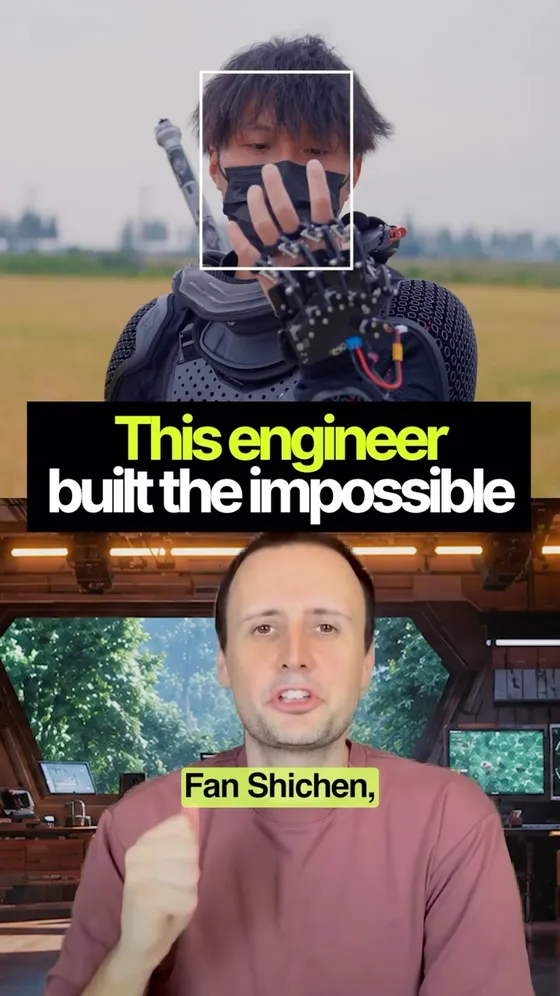
Get the scoopHide the scoop4.6 metres. 100kg. One human rider. Zero CGI. 🗡️ A Chengdu creator just unveiled a flying sword — a real one, controlled by a sword-shaped lever, carrying a person through the air.
- 🛠 He started in 2020 with sword-shaped quadcopters nobody took seriously. By 2024 he had built a hovering platform big enough to stand on.
- 🧤 By December 2025 he was flying around thirty drone swords at once, controlled through motion-sensing gloves that track hand gestures in real time.
- ⚖️ His latest build cracked the hardest problem of all: a sword shape is a nightmare to balance in the air. His four-man team spent 18 months on it.
- 🇨🇳 Even Chinese foreign ministry spokesperson Mao Ning praised the result.
- 💰 The wild part? He never sold any of it. A former hotel employee, he funded the whole thing out of his own savings.
- ⚔️ His next goal? 10,000 swords moving as one — straight out of wuxia fiction.
- 👇 The prompt below is the part the story skips: the order he actually built in, and how much of it was string.
The part nobody's posting
First, the name, because it will cost you ten minutes otherwise. Everywhere he is actually covered — Xinhua, CGTN, SCMP, Vice — he is 范十三, Fan Shisan, "Fan Thirteen", and that is a handle rather than a birth name. Search the name in the video and you get almost nothing; search the handle and you get everything, including two Guinness certificates and a spot on state television. Worth knowing before you go looking for the primary sources.
The manned flight is real and it is smaller than it sounds. 4.6 metres and about 100kg are right, and the sword lifts a rider up to 70kg — so it carries a person, but not a person plus much else. The published figure is roughly three minutes in the air at about two metres off the ground. The first manned attempt, on New Year's Day, lasted four or five seconds: it started shaking at under half a metre, tipped when he moved his arm, put him on the floor, and he only got it stable by crouching. Two months of all-nighters for five seconds. That is the honest shape of "carrying a person through the air", and it is more impressive with the numbers in, not less.
The ten thousand swords are not a future goal. He already did them — in October 2024, with real swords on steel cable and bamboo poles, after earlier passes with fishing line left the rigging visible in shot (穿帮 is the word the Chinese coverage uses). One version hung six to seven thousand blades; the headline version, ten thousand. What is at thirty is the drone version, and Vice and Futurism both watched the December swarm video and counted "10+". So the real goal is ten thousand aircraft flying in formation rather than ten thousand props on wire, and those are not the same project — they are not even the same discipline. The swarm already needs its own ground station for charging, take-off and landing.
"Never commercialised" is the line I would change. He has close to five million followers, two Guinness World Records (one is five sheets of A4 cut in mid-air in 7.46 seconds), an appearance on CCTV's 2026 Spring Festival Gala broadcast, film and TV productions approaching him for prop work, talks around a 仙剑 anniversary concert, and a team that has gone from four to seven. SCMP's write-up says plainly that he hopes to see the prototype mass-produced one day; he describes it as still in development, not as something he refuses to sell. The savings he spent are influencer savings. None of that makes him a fraud — it makes him someone whose product is the video and whose sword is the thing the video is about, which is a real business model and the one actually worth copying.
And the engineering choice underneath all of it is the one the prompt is built on. A sword is a terrible airframe: a standard quadcopter is a symmetrical cross, and a blade is a long, thin, wildly unbalanced thing with the mass in the wrong place. He solved it with carbon fibre and brute force — twenty ducted fans, which did not give enough thrust, then twenty-four. Any competent engineer would have told him to widen the shape. But the shape was the only part anyone cared about, so the shape had to be real on day one, and everything else — the flight time, the altitude, the autonomy, the ten thousand — was allowed to stay on wires for six years. That is the whole trick, and it is not a story about drones.
Do this yourself
Here is what I am trying to build: ___ Fan Shisan's famous shot — ten thousand swords hanging in the air at once — was real swords on steel wire and bamboo poles, filmed in 2024. The drone version he flies today is about thirty. He built the thing that LOOKED like the finished product years before he could build the finished product, and the looking is what paid for the building. Work out that order for mine. 1. Name the one moment that makes someone care about this. Not a feature list — the single thing they would describe to someone else afterwards. If I have given you three, pick one and say why the other two are support. 2. Split the build into the parts that must genuinely work on day one and the parts I am allowed to rig. Be specific about the rig: "the data is a spreadsheet I update myself on Sunday nights", not "mock the backend". 3. For each rigged part, tell me what it looks like when someone notices — because they will. Say whether that reads as an early version or as a lie, and if it reads as a lie, tell me what to say on the page instead. 4. Give me the replacement order: which rigged part I swap for a real one first, and what has to be true before it is worth doing. The trigger is a number or an event, never "when I have time". 5. Tell me which rigged part I will be tempted to keep forever, and what it costs me if I do. 6. Last: name the part I think is essential that nobody outside would notice was missing. Cut it from version one. Then stop. No code until I have told you which moment from step 1 is the right one.
Step 3 is the load-bearing one — every shortcut gets spotted eventually, and the difference between an early version and a lie is entirely whether you said so first. The sibling is Prototype before you hire anyone, which asks what to put in front of ten people; this one asks how much of it is allowed to be string.
★ The five-plugin stack|Getting started · Claude Code
Five plugins. Two of them are plugins.
All five are real and four are free. But two of them are the same product, one defaults to somebody else's server, and the order is the least important part.
Get the scoopHide the scoop
★ The five-plugin stack|Getting started · Claude Code
Five plugins. Two of them are plugins.
All five are real and four are free. But two of them are the same product, one defaults to somebody else's server, and the order is the least important part.
Get the scoopHide the scoopFive add-ons for Claude Code, installed in a set order, each one meant to fix the problem the last one creates. All five are real and four of the five are free. What they are, though, isn't quite what a list of five plugins suggests.
- 1️⃣ OmniRoute — github.com/sakshianil/OmniRoute. MIT. One endpoint in front of 237 providers, with automatic fallback when one runs out of quota. Not a plugin: it's a local proxy you install with npm install -g omniroute and point your tools at, on localhost:20128/v1. It never phones home — credentials stay encrypted on your machine.
- 2️⃣ Claude Mem — github.com/thedotmack/claude-mem, by Alex Newman. Apache 2.0. Captures what happens in a session, compresses it, and injects the relevant part into the next one. This one is a real plugin: /plugin marketplace add thedotmack/claude-mem, then /plugin install claude-mem.
- 3️⃣ Headroom — github.com/headroomlabs-ai/headroom. Apache 2.0. Compresses tool outputs, logs and file reads before they reach the model, and hands the model a retrieve tool for when it needs the full text back. Also not a plugin — it ships as a library, a local proxy or an MCP server. pip install "headroom-ai[all]", then headroom wrap claude.
- 4️⃣ Claude Code Setup — the official claim in the list, and it's the one that holds. It sits in Anthropic's own marketplace, authored by Anthropic, and it's a single read-only skill that scans your codebase and names the top one or two automations in each category — MCP servers, skills, hooks, subagents and slash commands. /plugin install claude-code-setup@claude-plugins-official.
- 5️⃣ Task Observer — by Eoghan Henn at rebelytics.com, CC BY 4.0. A skill, not a plugin: drop the folder into .claude/skills/. While you work it appends numbered entries to skill-observations/log.md — date, what happened, the suggested fix, and a general principle.
- 👇 The prompt below is the step the list skips: working out which of the five your setup has an actual problem for.
The part nobody's posting
Three of the five aren't plugins. Only Claude Mem and Claude Code Setup install with /plugin. OmniRoute is a global npm package, Headroom is a pip install that wraps your agent in a local proxy, and Task Observer is a folder of markdown you copy into .claude/skills/. That's not a complaint about any of them — it's four different things to maintain, four different update paths, and four different things to remember you installed when something breaks and you can't work out why the model is seeing what it's seeing.
And the order does not chain. OmniRoute and Headroom are the same product category: both sit between your agent and the model, and both compress on the way through — OmniRoute stacks RTK and Caveman for a claimed 15-95%, Headroom does its own compression and starts its own local proxy when you run headroom wrap claude. Stack them and you have two proxies compressing the same stream, each one's output becoming the other's input. "Each one fixes the problem the last one creates" is a good line, but 1 and 3 are alternatives, not a sequence. Pick one.
The numbers drift the way tool numbers always drift. 237 providers is right. "90 of them free" is in OmniRoute's README, but the project's own repo description says 50+ — and the number that actually matters is 11, the ones it calls permanently free with no card (Kiro, Qoder, Pollinations, LongCat). Headroom's headline is 60-95%, which is the JSON case; its own README says about 20% for coding agents, and its benchmarks land at 21-57%. Worth knowing before you build a monthly budget on the big number.
The one to read the install prompts on is Claude Mem. Its default memory provider is CMEM Pro, a hosted service that asks you to sign in through a browser, free for 30 days and then falling back to your Anthropic plan unless you subscribe. So the plugin whose whole job is remembering your project ships pointed at somebody else's server by default, and your session content is what it's remembering. It's opt-out, not hidden — install with --provider host, or set CLAUDE_MEM_ONLINE_OPTIN=false, and it stays on your machine. Just decide that on purpose rather than by pressing enter.
The honest version of this list is shorter than five. Anthropic's own marketplace carries a warning above every plugin in it — "Anthropic does not control what MCP servers, files, or other software are included in plugins and cannot verify that they will work as intended or that they won't change" — and that's the line to read before you route your code through a stranger's proxy to save tokens. Meanwhile the two cheapest fixes are already on your machine and cost nothing: a CLAUDE.md that's actually written (The Claude Code setup, and the step everyone skips) and the official setup skill telling you what this specific repo is missing. Start there. Add a proxy when you've felt the problem it solves, not because it was number one in a list.
Do this yourself
Here are five things people install to make Claude Code cheaper, faster and less forgetful: 1. OmniRoute — a local proxy that falls back across other providers when you hit a limit 2. Claude Mem — captures each session and injects the relevant parts into the next one 3. Headroom — compresses tool output and file reads before they reach the model 4. Claude Code Setup — Anthropic's own skill: reads your repo and names the hooks, skills, MCP servers and subagents you're missing 5. Task Observer — watches a session and logs what was worth turning into a skill Don't install anything. Work out which of these I'd actually use. 1. Read this project and tell me what my sessions here probably look like — how big the files are, how much tool output a normal task drags in, whether there's a CLAUDE.md and whether it's any good. 2. For each of the five, name the specific problem in MY setup it would solve. If you can't point at one, write "no problem here" and move on. Don't soften it to be helpful. 3. Tell me which two overlap. Two of these want to be the thing my agent routes through, and running both is not twice as good. 4. Rank whatever survives by what it costs me to try — install time, a sign-in, a subscription, a runtime I don't already have. 5. Last: name the one change to this repo that would beat all five. It's usually a file I could write in ten minutes. Then stop. No install commands until I've picked one.
Step 2's "no problem here" is the load-bearing instruction — without it you get five recommendations, because a list of five tools reads as five things to install. Sits next to DeepSeek's open-source Claude Code, which asks the same question about the agent itself.
★ The terminal|Building apps · Any AI
Looks classified. Costs nothing.
A live globe with 13,846 aircraft, 18,833 satellites and 30,666 traffic cameras on it — eight of them Singapore's. No login, no backend, no secret.
Get the scoopHide the scoop
★ The terminal|Building apps · Any AI
Looks classified. Costs nothing.
A live globe with 13,846 aircraft, 18,833 satellites and 30,666 traffic cameras on it — eight of them Singapore's. No login, no backend, no secret.
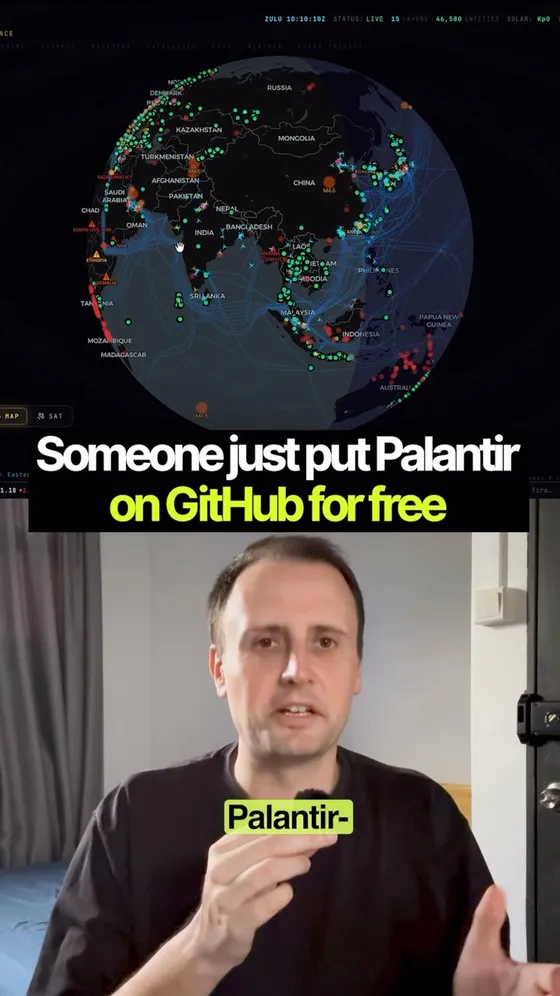
Get the scoopHide the scoopLooks classified. Costs nothing. Runs in your browser. 🌍 Osiris looks like a government intelligence terminal — a live 3D globe tracking 10,000+ aircraft, 2,000+ satellites, and CCTV feeds around the world in real time.
- 🧩 But here's the part that makes it click: it's not magic. It's a Next.js app wiring together public feeds — OpenSky for flights, plus earthquake, wildfire, maritime, and news data — into one dashboard. No login, no paywall, no secret backend.
- 🎛 And you drive it. Edit the filters, find local fires near you, zoom in, and pull a live news feed on that exact spot.
- 💡 The wild part? "Looks expensive" and "is free" aren't opposites.
- 👇 It's live at osirisai.live and the code is at github.com/simplifaisoul/osiris — MIT licensed, clone it and run it yourself.
The part nobody's posting
Every number in the caption is too small, and I checked by calling the same public API the map calls. At 23:13 Singapore time on 10 September it returned 13,846 aircraft (9,272 commercial, 3,362 private, 614 private jets, 343 military), 18,833 satellites rather than 2,000, and 30,666 cameras across 48 regions. Also 2,031 active fire hotspots from NASA FIRMS and 30 live news streams. The flights response is tagged "opensky-anon" with "opensky_auth: false" — which is the no-login claim proving itself in its own output.
Where the cameras come from is the whole point. FDOT 4,953, GDOT 4,043, Taiwan's THB 2,222, Caltrans 2,000, Spain's DGT 1,917, DriveBC 1,062, Hong Kong Transport Department 1,013, TfL 890 — highway and transport authorities publishing their own traffic cams, exactly as they always have. LTA Singapore is in there too, with 8. Nothing is hacked and nothing is leaked. What makes it feel classified is that nobody had bothered to put it all on one screen.
"Real time" is doing some work, though. Not every layer is live: the maritime layer ships as static naval intel — 39 ports and 10 chokepoints, with Singapore at rank 2 — and every port marker reads "LIVE: 0" on the demo because no AIS key is configured. The 13 conflict zones are static too. And the earthquake endpoint returned a 502 the first time I called it and worked fine a minute later, which is the honest shape of this thing: it's a stack of other people's free feeds, and if you build on it you inherit every one of their outages. That's step 6 of the prompt above, and it's in there because of that 502.
The RECON toolkit is the part to be careful with, and it's the part the clips skip. Port scanner, DNS and WHOIS, SSL inspector, CVE vulnerability scanner, crypto wallet tracing, OFAC sanctions search, and a scraper for public Telegram channels. On the hosted demo it just returns 503 unless you stand up your own scanner backend — but if you self-host, the project's own SECURITY.md is the line to hold: "Do not use OSIRIS to scan, probe, or interact with infrastructure, networks, or systems that you do not own or have explicit authorization to monitor." Looking at a map is browsing. Pointing a scanner at somebody's server is a different activity with a different legal name, wherever you live.
And the bit nobody posts: it has a coin. The GitHub description ends in a pump.fun token address, the live app carries a "$OSIRIS SUPPORT" button in the corner, and the Patreon perk is described by the README itself as "Currently Just a Cool UI". 9,148 stars and 1,868 forks in the four months since 12 May. The code is MIT and the dashboard really is free — and there's a token riding on the attention, which is worth knowing before you file this under pure public service.
Do this yourself
Here's what I want to see on one screen: ___ Osiris looks like a government intelligence terminal. It's a Next.js app wiring public feeds — flights from OpenSky, fires from NASA, quakes from USGS, cameras from highway departments — into one map. The look was the cheap part. The wiring was the work. Do the same for mine. 1. First ask me what decision this screen would change, and wait for my answer. If I can't name a decision, tell me that and stop. 2. Find the feeds. For each one: who publishes it, the exact URL, whether it needs a key, whether that key is free, and how often the data really updates — not how often I could poll it. If you aren't certain a feed exists, write "unverified" next to it rather than inventing a URL that looks right. 3. Tell me what ISN'T available for free, and the nearest honest substitute. The piece I can't get is usually the piece I was counting on. 4. Design the smallest screen that answers my question. One line per element, and the reason it earns its space. Cut anything that's only there to look impressive. 5. Give me the build order — what to wire up first so I have something ugly and working today, then what to add second and third. 6. Last: which feed would break my screen if it went down tomorrow, and what should the page show instead of an error? Then stop and wait. No code until I've picked a feed.
Step 2's "unverified" is the load-bearing instruction — a confidently invented API URL is the single most common way this exact task fails. Sits next to Free alternatives to the AI tools you pay for, which is the same question asked about tools instead of data.
★ The swarm|Work & career · Any AI
2.7 million messages, one proof
10,000 agents on one maths problem for 88 hours. It only worked because Lean could tell them, every single time, whether a step was right.
Get the scoopHide the scoop
★ The swarm|Work & career · Any AI
2.7 million messages, one proof
10,000 agents on one maths problem for 88 hours. It only worked because Lean could tell them, every single time, whether a step was right.
Get the scoopHide the scoop26 years. 88 hours. $1 million. 🧮 For 26 years, only one of the seven Millennium Prize problems had ever been cracked. This week, OpenAI says an AI may have taken down a second.
- 🌊 The target: Navier-Stokes — the 90-year-old equations that describe how every fluid moves. Weather forecasts, airplane wings, blood-flow simulations… all of it runs on this math. ✈️
- 🤖 They didn't use anything public. They pointed an unreleased model — described as significantly more capable than GPT-6 Astra — at the problem, then unleashed 10,000 AI agents on it at once.
- ⏱ 88 hours. 2.7 million messages exchanged. One proof.
- ⚖️ The catch: it still has to survive two years of review by the math community before it qualifies. And OpenAI says it won't even claim the million dollars.
- 🤯 But if it holds? AI just solved the problem generations of the world's best mathematicians spent entire careers chasing — and never cracked. Wild time to be alive.
The part nobody's posting
The numbers all hold up. OpenAI's own write-up says roughly 10,000 concurrent agents, a result 88 hours after the run started, 2.7 million messages and about 130 billion output tokens on this problem alone — 4.9 million messages and 300 billion tokens across everything they threw at it. GPT-6 Astra then spent another 17 hours formalising the argument in Lean, which is the part that matters: Lean doesn't have opinions, so a machine can check a machine. Mark Chen put the compute bill in the millions of dollars.
The word doing the quiet work is "forced". The 166-page proof builds a fluid that blows up in finite time while something external keeps pushing it. Half the internet says that means it doesn't count — and that's wrong on the paperwork. Charles Fefferman's official problem statement asks for "a proof of one of the following four statements", and (C) and (D) are precisely the forced-breakdown cases, as long as the force is smooth and decays properly. So it's inside the rules as written. But the version mathematicians actually lose sleep over is (A) and (B), where nobody is pushing and the fluid tears itself apart on its own. That one is still open. Both of those are true at the same time, and almost every take you'll read picks one and drops the other.
The one number in the caption I'd change is the 90 years. The equations are about two centuries old — Navier in 1822, Stokes in 1845. What's roughly 92 years old is Leray's 1934 paper, the one that framed the existence question everybody's been stuck on since. And the Millennium Prize problem itself only turns 26 this year. "90-year-old equations" makes the maths younger than it is.
The two-year wait is real and it's a rule, not a vibe: Clay requires publication in a qualifying outlet, at least two years elapsed, and general acceptance in the global mathematics community. Clay president Martin Bridson called the announcement exciting and said the evaluation would be "deliberately unhurried". The institute still lists Navier-Stokes as unsolved. The Lean files are public, but the review status on them is self-assessed — as of now no outside group has re-run the check.
And the part nobody posts is who was already standing there. Diego Córdoba and Luis Martínez-Zoroa spent about a year building the forcing technique both proofs rest on — Buckmaster says Martínez-Zoroa "deserves a Fields Medal". Levent Alpöge (Anthropic) and Tristan Buckmaster (NYU) proved forced-Euler blowup on 15 August and had it Lean-verified by 22 August. OpenAI's run started on 1 September, after hearing a rumour of exactly that. So the 88 hours is honest, and it's 88 hours standing on a year of someone else's work. Buckmaster has since alleged that OpenAI offered him co-authorship while excluding Alpöge over his Anthropic affiliation, and that he was asked "Why would you ruin your career?"; OpenAI's Sébastien Bubeck calls the allegations "false and inflammatory". OpenAI's own post contains this sentence: "While unlikely, we cannot rule out that de-identified data derived from their usage of our products helped improve our models." Terence Tao's warning is the one worth keeping — that efforts on this scale, triggered by a hint of what another group is doing, could stop researchers sharing what they're working on at all.
Do this yourself
Here's the problem I'm stuck on: ___ OpenAI pointed 10,000 agents at a maths problem for 88 hours. That only worked because of Lean — a checker that says "this step is valid" or "this step is not", with no opinion involved. Where there is a checker, 10,000 wrong attempts cost nothing. Where there isn't, one attempt is already too many to trust. Do that split on my problem. 1. Restate what I'm actually trying to produce, in one sentence, as a thing that either exists or doesn't at the end. 2. Split it into the parts something OTHER THAN ME could check — right or wrong, verdict returned without me arguing for it — and the parts where the only judge is taste, a customer, or time. 3. For each checkable part: name the checker. The exact test, script, spreadsheet total, real reply, or side-by-side that returns the verdict. If I'd have to build the checker first, say how long that takes. 4. For each uncheckable part: what's the smallest real-world test that would turn it into a checkable one — and what would I have to accept as a "no"? 5. Now tell me where to spend volume. On the checkable parts, how many attempts should I run before I look at any of them? On the rest, explain why more attempts would only make me more confident, not more right. 6. Finish with the one part where I've been quietly using my own opinion as the checker. Say it plainly. No motivational framing. Every line has to name something I actually described.
Step 5 is the whole trick — volume only pays where something other than you can say "wrong", which is why 10,000 agents worked on a Lean-checkable proof and would just be 10,000 opinions anywhere else. Its cousin is The AI collar that claims to translate your dog, for when the thing that needs checking is somebody else's number.
★ The green boxes|Work & career · Any AI
Her 47th coffee of the shift
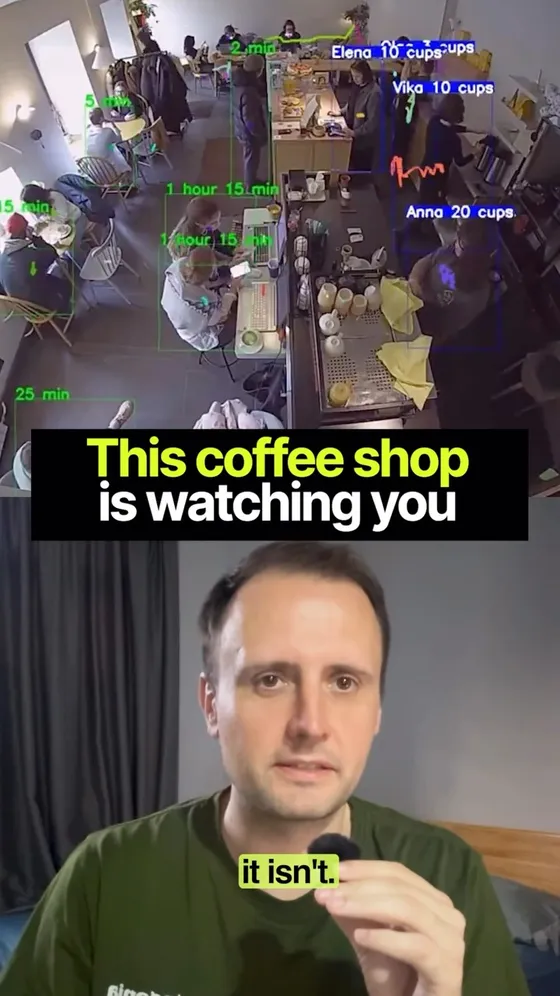
Green boxes are the customers. Blue lines are the staff. The software knows how long the break really ran — and who picked something up and put it back.
Get the scoopHide the scoop
★ The green boxes|Work & career · Any AI
Her 47th coffee of the shift
Green boxes are the customers. Blue lines are the staff. The software knows how long the break really ran — and who picked something up and put it back.
Get the scoopHide the scoopThat barista doesn't know it, but a camera just logged her 47th coffee of the shift. ☕ Every camera in the store is running AI, 24/7.
- 🟩 The green boxes? Each one's a customer — the software knows exactly how long they've been sitting. The blue lines? That's the staff. Movement, output, drinks-per-hour, and how long that lunch break really ran.
- 📹 It's called NeuroSpot — computer vision that tracks and analyses humans inside physical stores. Sounds dystopian. But as the owner, it's gold.
- 🌧 It cross-references footfall against the weather, so you stop over-ordering fresh stock for a rainy Tuesday nobody shows up for.
- 🤔 It counts the people who picked something up, hesitated… and put it back — a price objection nobody ever says out loud.
- 🔔 It even pings staff that a shelf's empty before a single customer notices.
- 👀 Nobody's opinion. Just what the camera saw. The future of retail is watching — the only question is whether you're the one holding the data.
The part nobody's posting
First thing worth knowing: this is a demo, and it's older than it looks. NeuroSpot filmed and posted it themselves — it was already doing the rounds by 1 February 2024 — so what you're watching is a vendor showing off its own "Barista Staff Control and Customer Monitoring" module, not a coffee shop that went out and bought one. It resurfaces every few months and lands as news every time.
Second thing: NeuroSpot's website is gone. neurospot.tech was live in November 2024, was showing the registrar's domain-expired notice by May 2025, and today is a parking page offering the domain for sale. The technology is real and a dozen other vendors sell the same modules — but the specific company everyone is still arguing about looks like it folded while the clip kept going.
Their own archived retail page backs up most of the caption: shelf-gap alerts sent to staff, movement heatmaps able to "distinguish between employee and customer interaction with goods", queue detection that tells the office to open another till, and till-fraud analysis of every transaction "from cash counting to receipt deletion". It also lists one module the video never shows — shoplifting detection that is "not only facial, but it also responsive to body postures and gestures", which adds a person's photo and history to a database used "across the whole company network". A tool that counts coffees and a tool that maintains a face database across every branch of a chain are not the same product, and only one of them gets reposted.
The one claim I couldn't stand up is the weather. Overlaying footfall on weather to stop over-ordering is genuinely standard in this category — but I couldn't find it in anything NeuroSpot published, so take it as something the technology does rather than something this product did.
And if you're a Singapore owner thinking about it for your own shop, the law is more specific than the vibes. The PDPC's advisory guidelines treat CCTV footage as personal data. For customers in a public-facing area you can rely on the publicly-available exception, and a notice is "good practice" (para 4.34). For staff, read 4.39: you may rely on the employment exception instead of asking consent, but only if you have already told them what the camera is for, in the handbook or an HR policy they can actually reach. So the question was never whether you're allowed to count her coffees. It's whether she was told, in writing, before you started — which is step 6 of the prompt above, and the reason it's in there.
Do this yourself
Here's what I sell, and where the buying actually happens: ___ A retail camera system counts the people who pick something up, hesitate, and put it back. Nobody in that shop ever says "too expensive" out loud. The camera counts them anyway. I want that, without the camera. 1. Walk my buying process end to end and mark every point where a person can quietly leave. Name the exact moment, not the stage. 2. For each one, write the sentence they would have said if they were the type to say it. One line, in their words, not mine. 3. Now the useful part. For each of those, is there ALREADY a record of it somewhere I'm not looking? Name the specific place — the replies I never got, the abandoned checkouts, the people who asked the price and went quiet, the ones who come back three times and never book. Then say which ones I'd have to start counting from scratch. 4. Pick the single silent no that is both the most common and the cheapest to count. Tell me exactly what to write down, where to put it, and how many weeks before the number means anything. 5. Before I collect any of it: what number would make me change something, and what would I change? Write both down now, so I can't explain the number away later. 6. Last, the sign test. If the person I'm counting could read my notes, what would I have needed to tell them first? Write that sentence in plain language. No dashboards, no new software. Everything you suggest has to work with what I already have open.
Step 5 has to come before the data, not after — a number you assign meaning to afterwards will always agree with you. Sits next to The cows wear the fence, which is the same instinct pointed at what you'd build rather than what you'd fix.
★ The cowgorithm|Building apps · Any AI
The cows wear the fence
Solar collars, boundaries drawn in a phone app, and 6,000 data points a minute off every animal. The fence was only ever the wedge.
Get the scoopHide the scoop
★ The cowgorithm|Building apps · Any AI
The cows wear the fence
Solar collars, boundaries drawn in a phone app, and 6,000 data points a minute off every animal. The fence was only ever the wedge.
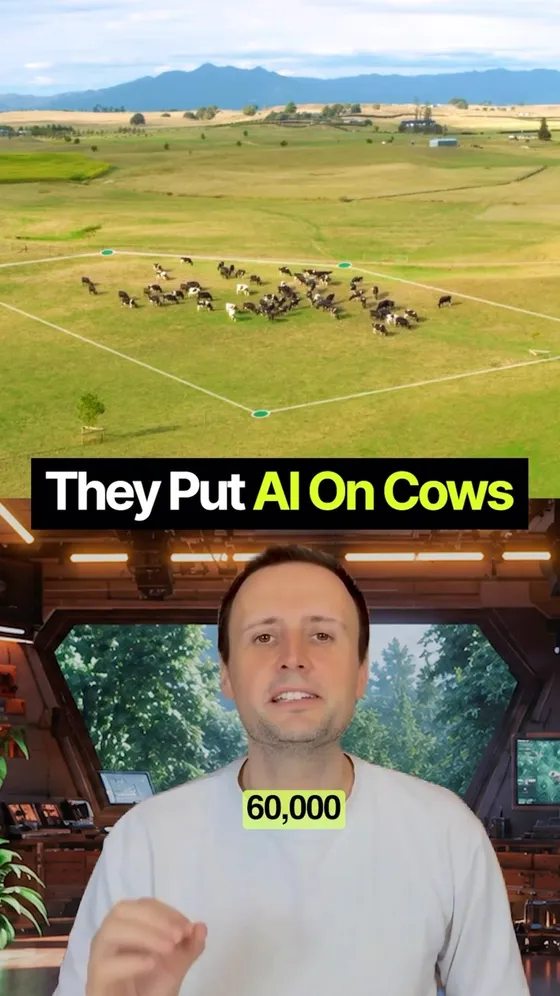
Get the scoopHide the scoop800,000 km of fencing. Zero posts. $2 billion. New Zealand startup Halter makes AI smart collars that build virtual fences for cattle. No wire. No posts. Just a collar and an algorithm.
- 📱 Farmers draw boundaries in a phone app, and the collars guide cows with sound and vibration cues to keep them in set areas.
- 🧠 Here's the smart part — each collar pulls 6,000+ data points a minute, feeding models that track grazing, predict disease, and flag peak breeding times.
- 📈 The payoff: 20+ hours of labour saved a week, hundreds of thousands of kilometres of fencing replaced across NZ, Australia and the US, and 2,000+ farms and counting — over a million collars now live, on roughly two million cattle.
- 👨🌾 Founder Craig Piggott grew up on a dairy farm in Matamata watching his parents work 100-hour weeks. So he built the fix. Founded 2016; the company's now worth over $2 billion after a US$220m round led by Peter Thiel's Founders Fund, who also backed the Series A back in 2017.
- 🛰️ And in 2026 they did something genuinely new: collars that talk straight to satellites, so a ranch no longer needs towers on the hills to use it.
- 🌍 Half the world's habitable land is farmland. This could change how all of it gets managed.
The part nobody's posting
The bit the clips leave out is that it isn't only sound and vibration. If an animal ignores the cues, the collar delivers a low-level electrical pulse — Halter is open about this in its own Animal Welfare Charter and puts it at roughly a tenth the strength of a conventional electric fence, predictable enough that a trained cow can avoid it entirely by turning at the beep. That is a reasonable design, and probably gentler than the hot wire it replaces. But "no wire, no posts" invites people to hear "no aversive at all", and that isn't what's happening.
Two numbers I could and couldn't stand up. The 6,000 data points a minute is Halter's own published figure. The labour saving they publish is "over 20 hours per week", so the 20 is solid and the 40 is the top of a range I couldn't source. And the last fencing total I could actually find is 568,000km, from their 2025 year in review — 800,000 is entirely plausible now, given collars went from about 700,000 live at the end of that year to over a million today, but I couldn't source it.
The land figure is worth getting exactly right, because it makes the point harder rather than softer. Our World in Data puts agriculture at 44% of habitable land — "almost half" — but two-thirds of that farmland is grazing, and once you add the cropland grown to feed animals, livestock accounts for about 80% of all agricultural land while supplying 17% of the world's calories. So the surface this technology actually addresses isn't half of farmland. It's most of it.
Do this yourself
Here's what I'm building or already sell: ___ A New Zealand company replaced physical fencing with a collar. Farmers draw a boundary in an app and cows are guided by sound. But the fence is not the business — every collar sends 6,000 data points a minute, so the company now knows the health, grazing and breeding state of two million animals. The fence was the wedge. The data is what compounds. Do that split for me. 1. Name the WEDGE: the single obvious thing someone would pay for today, described in one sentence a customer would recognise. 2. Name the EXHAUST: everything my product would learn, record or accumulate as a by-product of doing that job. Be literal — logs, timings, corrections, choices, failures, the things people type in. 3. For each item of exhaust: does it get more valuable as it piles up, or is it just storage? Say which, and why. 4. Take the ones that compound. What could I build or sell in two years that is impossible for someone starting from zero, because they don't have that pile? 5. Then the honest check: what am I assuming customers will let me collect, and what would I have to say out loud for that to be fair? Don't give me a data-strategy essay. Every answer names something specific to what I described.
Step 5 is the one people skip, and it's the one that decides whether any of this survives contact with a customer. Sits next to Lettuce in 15 days, no soil, no sun, which is the same shift viewed from the other end.
★ The Terafab|Work & career · Any AI
100 million square feet, one building
Five times the largest building on Earth, in a Texas field — because Musk says the whole world's chip output covers 2% of what his own companies need.
Get the scoopHide the scoop
★ The Terafab|Work & career · Any AI
100 million square feet, one building
Five times the largest building on Earth, in a Texas field — because Musk says the whole world's chip output covers 2% of what his own companies need.
Get the scoopHide the scoop100 million square feet. 1,700 football fields. One building. Elon's Terafab isn't 5% bigger than the largest building on Earth — it's five times bigger. Drop it on Manhattan and it covers nearly three times Central Park, sitting in a field in Grimes County, Texas.
- 📏 The comparison holds up. The largest building on Earth by floor area is the New Century Global Center in Chengdu at about 18.9 million square feet; 100 million is 5.3 times that. It's roughly 2,300 acres of floor, or 2.7 Central Parks.
- 🔌 But the size isn't the wild part. The reason he's building it is. Musk says the entire world's chip output covers about 2% of what his companies will need — not 2% of the market, 2% of what Tesla, SpaceX, xAI and Optimus need internally.
- 🗣 His words: "We either build the Terafab, or we don't have the chips, and we need the chips, so we build the Terafab."
- 🔗 So this was never a play to disrupt the chip industry. It's the only way to keep the companies he already owns alive — and when it's done, he owns his own supply chain.
- 🛰️ At full scale: 1 terawatt of compute a year, roughly 50x the world's current AI chip output, from a target of 100–200 billion chips. He's said about 80% of it is earmarked for orbit — radiation-hardened chips for solar-powered data centres in space.
- 🏗 Where it actually is: Grimes County, Texas, an hour northwest of Houston. Phase one is $16.8bn, construction 2026–2028, with early production possibly from 2027 and at least 3,000 jobs.
The part nobody's posting
The $16.8bn is phase one of four. Texas filings describe a four-phase build totalling around $119bn if SpaceX finishes the whole thing — and the number has already moved once: the March announcement led with $25bn, which quietly became a "$16.8bn initial phase" with the rest left vague. Nothing is being manufactured there today; the concrete is the story so far.
Two things worth holding lightly. The 2% is Musk's own figure for his own projected internal demand, not a measured one — and a big share of that demand is Optimus at a scale that doesn't exist yet. And "owns his entire supply chain" isn't quite it either: Intel signed on to help design, fabricate and package the chips, so the vertical integration has a very large partner inside it.
The part nobody posts is the subsidy. SpaceX has filed a stack of tax-incentive applications on this site, and told the state that without the break, competing jurisdictions "would present a more favorable after-tax return". A project framed as pure existential necessity is simultaneously arguing it might go elsewhere over tax. Both of those can be true at once — but only one of them is the version that goes viral.
None of which makes the plan small. Build the biggest building in history, to make 50x the world's chips, to launch them into space, to run the AI that powers everything down here. Never bet against Elon — just read the phase number before you quote the price.
Do this yourself
Here's what I make or run: ___ Musk is spending billions on a chip factory not to enter the chip business, but because his companies stop working without the chips. Run that same analysis for me, at my scale. 1. List every external thing I depend on to deliver: models, APIs, platforms, tools, payment rails, distribution channels, and any single person who knows something nobody else does. Include the ones that feel too boring or too reliable to bother listing. 2. For each one: what happens if it doubles in price tomorrow? If it gets rate-limited? If it's discontinued with 30 days' notice? 3. Rank them by how fast I'd be dead — not by how likely the failure is. Likelihood is a guess. Time-to-dead is arithmetic. 4. For the top three, give me the cheapest thing I could do THIS MONTH that buys me time: a second supplier, an export, a cached copy, a contract, a skill I learn. 5. Name the one dependency where the honest answer is "there is no alternative", and tell me what that should change about how I plan. No generic risk-register language. Every line has to name something I actually said.
Step 3 is the one that changes the answer — ranking by likelihood produces a list you ignore, ranking by how fast you'd be dead produces a list you act on. Pairs with Pressure-test a technical plan once you know which dependency to design around.
★ The craft codes|Creating content · ChatGPT
250 more ChatGPT image codes
Twelve categories — framing, lens, light, colour, film stock, medium, era. Not what the picture is of; how it should look. Paste once, then type a code.
Get the scoopHide the scoop
★ The craft codes|Creating content · ChatGPT
250 more ChatGPT image codes
Twelve categories — framing, lens, light, colour, film stock, medium, era. Not what the picture is of; how it should look. Paste once, then type a code.
Get the scoopHide the scoop250 more codes for the same trick: teach ChatGPT the mapping once, then steer the entire look of an image with a couple of words. These ones are about craft rather than subject — how it's framed, lit, graded and made.
- 🖼 Framing & composition (24) — /negative space, /worms eye, /framed within, /tight crop.
- 📷 Camera & lens (24) — /anamorphic, /tilt shift, /shallow depth, /long exposure.
- 💡 Lighting (26) — /rembrandt, /god rays, /practical lights, /two tone light.
- 🎨 Colour & grade (22) — /teal and orange, /bleach bypass, /split tone, /single accent.
- 🎞 Film, print & process (22) — /cinestill, /riso print, /cyanotype, /light leak.
- 🖌 Art movements & media (26) — /gouache, /linocut, /paper cut, /concept art.
- 🕰 Era & period (18) — /bauhaus, /y2k, /soviet poster, /swiss style.
- 🧱 Texture & surface (18) — /patina, /frosted glass, /oil slick, /brushed metal.
- 🌫 Weather, time & atmosphere (20) — /heat haze, /storm light, /pre dawn, /blizzard.
- 🧍 People, pose & expression (20) — /candid, /environmental portrait, /hands only, /obscured.
- 🗺 World & setting (18) — /liminal space, /lived in room, /ruins, /miniature set.
- 📐 Output & technical (12) — /story 9x16, /text safe, /tileable, /transparent bg.
The part nobody's posting
About the "more". 22 of these 250 names also appear on the 270-code product sheet or the 280-code food one — /watercolour, /polaroid, /bauhaus and the like — because a code shouldn't change meaning depending on which sheet you happened to paste. The other 228 are new. Paste all three and nothing collides.
What makes this sheet different from the other two: those codes mostly say WHAT the picture is — a magazine cover, a billboard, a flat lay. These say how it should LOOK, so they stack onto any subject at all, including anything from the other sheets. /hero angle /kodachrome /god rays is three sheets in one line.
The two at the very bottom save the most time and are the least exciting. /keep everything means change only the thing I named and hold the rest, which is the difference between an edit and a fresh roll of the dice. /describe first makes it write the full prompt and stop, so you can fix the brief before spending a generation on it.
Do this yourself
When I send a message starting with a forward slash, treat it as a shortcode for an image brief. Interpret the code, expand it into a full image prompt, apply it to whatever subject I've described or uploaded, and generate the image. Don't ask me to confirm — just build it. Case doesn't matter. Codes stack: if I send several, apply all of them. If I add words after a code, treat those as overrides. These codes describe HOW the image should look, not what it's of — so the subject is always whatever I gave you last unless I name a new one. FRAMING & COMPOSITION /extreme wide — subject tiny in a vast frame /wide shot — full body with room to breathe /medium shot — waist up, conversational distance /close up — head and shoulders fill the frame /extreme close up — a single feature fills the frame /macro — closer than the eye can focus, texture level /over the shoulder — framed past someone's shoulder /pov — first person, as if through my own eyes /dutch angle — camera tilted off horizontal /worms eye — from ground level looking up /birds eye — high above looking down /overhead — perfectly above, flat and square /low angle — below the eye line, subject looms /high angle — above the eye line, subject diminished /centred — dead-centre symmetry /rule of thirds — subject on a third line /golden spiral — composed along a spiral /negative space — mostly empty, subject small and offset /tight crop — cropped hard, edges cutting the subject /full bleed — subject running off every edge /framed within — shot through a doorway, window or arch /leading lines — lines pulling the eye to the subject /foreground blur — something out of focus across the front /split frame — two halves, two states CAMERA & LENS /wide lens — 24mm, expansive with edge stretch /nifty fifty — 50mm, close to how the eye sees it /portrait lens — 85mm, flattering compression /telephoto — 200mm, flattened distance, tight background /fisheye — extreme barrel distortion, curved horizon /tilt shift — selective plane of focus, miniature effect /anamorphic — 2.39:1 with horizontal flare /shallow depth — f/1.4, background dissolved /deep focus — f/16, sharp front to back /bokeh balls — round out-of-focus highlights behind /lens flare — sun streaking across the glass /chromatic fringe — colour fringing on high-contrast edges /vignette — corners falling into shadow /motion blur — subject smeared by movement /panning shot — sharp subject, streaked background /long exposure — light trails and smooth water /freeze frame — 1/4000s, every droplet stopped /double exposure — two images overlaid in one frame /handheld — slight tilt and imperfection, human /tripod locked — perfectly level and still /drone — high aerial, landscape receding /security cam — grainy fixed overhead with timestamp /microscope — cellular scale, scientific /x ray — internal structure, translucent LIGHTING /golden hour — low warm sun, long shadows /blue hour — deep blue twilight, artificial lights on /high noon — hard overhead sun, short black shadows /overcast — flat soft grey, no shadow edges /backlit — light behind, subject edged in glow /rim light — thin bright outline against the dark /silhouette — subject fully dark against a bright ground /rembrandt — one side lit, small triangle on the cheek /split light — half the face lit, half in shadow /butterfly light — light straight on, small shadow under the nose /loop light — soft key just off axis /hard light — single bare source, crisp shadow edges /soft box — big diffused source, gentle falloff /window light — daylight through a single window /candlelight — small warm flickering source /firelight — orange glow from below /neon — coloured tube light, magenta and cyan /practical lights — lamps and signs inside the frame doing the work /god rays — visible shafts of light through dust or trees /underlight — lit from below, unsettling /top light — harsh light from directly overhead /bounce fill — soft light returned into the shadows /gel wash — one saturated colour across the whole scene /two tone light — warm key one side, cool the other /spotlight — single pool of light, everything else black /available light — nothing added, whatever's already there COLOUR & GRADE /monochrome — a single hue throughout /black and white — no colour, tone only /high key — bright, airy, almost no shadow /low key — dark, dominated by shadow /teal and orange — blockbuster complementary grade /pastel — desaturated soft tints /neon palette — electric saturated colour on black /earth tones — ochre, clay, moss, sand /jewel tones — deep emerald, sapphire, ruby /muted — desaturated, restrained, quiet /oversaturated — colour pushed past natural /duotone — two colours only, mapped to light and dark /split tone — warm highlights, cool shadows /sepia — warm brown wash /faded — lifted blacks, washed contrast /crushed blacks — deep contrast, no shadow detail /bleach bypass — high contrast, drained colour /cross processed — shifted, unnatural colour casts /infrared — foliage white, sky black /single accent — greyscale with one colour left in /warm cast — everything pushed amber /cool cast — everything pushed blue FILM, PRINT & PROCESS /35mm film — visible grain, natural colour /medium format — large negative, extraordinary detail /large format — sheet film, shallow plane, tack sharp /polaroid — instant film, white border, soft corners /kodachrome — rich mid-century slide film colour /portra — soft warm skin tones /ektachrome — cool clean slide film /cinestill — halated red glow around light sources /tri x — punchy black and white grain /hp5 — classic documentary black and white /expired film — colour shifts and blotches /light leak — orange streak burning in from an edge /halftone — printed dot pattern /riso print — misregistered layers, fluorescent inks /screen print — flat inks, slight offset, visible texture /letterpress — type impressed into thick paper /newsprint — coarse dots on cheap grey paper /cyanotype — blueprint-blue photogram /daguerreotype — mirrored silver plate, earliest photography /tintype — wet plate, dark and scratched /xerox — degraded photocopy, high contrast /scanned print — dust, scratches and paper texture ART MOVEMENTS & MEDIA /oil painting — visible brushwork and impasto /watercolour — bleeding washes and paper grain /gouache — flat opaque matte paint /ink wash — brush and black ink, tonal /pen and ink — cross-hatched line drawing /pencil sketch — graphite with construction lines showing /charcoal — smudged black on toothy paper /soft pastel — chalk, powdery edges /linocut — carved block print, bold and rough /woodblock — flat colour and outline, ukiyo-e /etching — fine engraved lines /collage — cut paper and torn edges assembled /vector flat — clean shapes, no gradients /isometric — 30-degree axonometric, no perspective /low poly — faceted geometry /claymation — plasticine with fingerprints in it /paper cut — layered cut paper with soft shadows /stained glass — leaded segments of coloured glass /mosaic — small tesserae with visible grout /embroidery — stitched thread on fabric /pixel art — visible pixels, limited palette /blueprint — white line on technical blue /technical illustration — exploded parts with leader lines /comic panel — inked with halftone shading /storyboard — rough frame with arrows and notes /concept art — painterly production design ERA & PERIOD /victorian — 1890s, formal and ornate /belle epoque — 1900s European elegance /roaring twenties — art deco geometry and gold /thirties glamour — silver screen, sculpted light /wartime forties — utility, restraint, propaganda poster /mid century — 1950s optimism, atomic shapes /sixties pop — bold flat colour and op art /seventies — warm grain, brown and mustard /eighties — chrome, gradients, laser grids /nineties — grunge, snapshot flash, ransom type /y2k — glossy metallic, bubble shapes, blue and silver /early web — pixel gradients and bevelled buttons /2010s indie — muted filter, hand lettering, kraft paper /soviet poster — constructivist red and diagonal /bauhaus — primary shapes on a grid /swiss style — grid, sans serif, huge white space /psychedelic — melting type and vibrating colour /near future — plausible, about ten years out TEXTURE & SURFACE /glossy — wet-look reflective finish /matte — no reflection, velvety /brushed metal — fine directional grain /hammered metal — dented artisan surface /frosted glass — translucent and diffused /clear glass — refractive with caustics /liquid metal — mercury, flowing chrome /marble — veined polished stone /concrete — raw board-marked cast /weathered wood — grey grain and splits /rusted — oxidised orange-brown crust /patina — aged green copper /velvet — deep pile, light-absorbing /knitted — chunky wool texture /holographic — iridescent rainbow shift /oil slick — shifting colour film on the surface /cracked — fine crazed fractures across the surface /dusty — settled dust and soft grime WEATHER, TIME & ATMOSPHERE /fog — thick atmosphere, depth fading out /mist — thin low haze at ground level /heavy rain — visible streaks and splashback /drizzle — a fine wet sheen on everything /snowfall — flakes falling, light muffled /blizzard — whiteout, near-zero visibility /storm light — dark sky with one bright break /heat haze — shimmering distorted air /dust storm — orange particulate air /humid — heavy air, condensation on surfaces /frost — ice crystals on every edge /puddles — wet ground doubling the scene /wind — hair, fabric and leaves in motion /smoke — drifting haze catching the light /steam — hot vapour rising /sunrise — cool air, the first warm light /sunset — sun on the horizon, sky burning /midnight — deep dark, artificial light only /pre dawn — pale grey before the sun /blown out noon — clipped highlights and heat PEOPLE, POSE & EXPRESSION /candid — unaware, caught mid-moment /posed portrait — deliberate, looking at camera /three quarter — body angled, face toward the lens /profile — full side view /back to camera — facing away into the scene /hands only — just hands, doing something /mid action — caught in the middle of a movement /in conversation — two people mid-exchange /group shot — several people arranged naturally /environmental portrait — a person shown in their own space /working portrait — absorbed in their craft /laughing — genuine, unposed /thinking — quiet, inward, unsmiling /determined — set jaw, direct gaze /exhausted — visibly spent /joyful — open, expansive body language /contemplative — still, looking away /eye contact — direct, holding the viewer /reflected — seen in a mirror or a window /obscured — face partly hidden by object or shadow WORLD & SETTING /city street — busy urban level, signage and people /rooftop — above the city, skyline behind /lived in room — an interior with someone's life in it /empty interior — architectural, unpeopled /industrial — factory floor, machinery, steel /laboratory — clinical white, instruments /library — shelves, warm lamps, quiet /market — stalls, produce, crowd /desert — dunes and hard light /forest — dense canopy, dappled floor /coastline — sea, rocks, salt air /mountain — altitude, thin clear air /underwater — filtered blue light and drifting particles /space — orbital, black sky and hard sun /underground — tunnels and artificial light /ruins — an overgrown abandoned structure /liminal space — an empty transitional place, unsettling /miniature set — a tiny built world, shallow focus OUTPUT & TECHNICAL /square — 1:1 /portrait 4x5 — tall, print standard /story 9x16 — full-bleed vertical /widescreen 16x9 — landscape video frame /cinemascope 21x9 — ultra-wide letterbox /poster ratio — A-series proportion with a margin /tileable — a seamlessly repeating pattern /transparent bg — subject on a clean cut-out /text safe — composition leaving room for a headline /two versions — same brief, one bold and one restrained /keep everything — change only what I name, hold the rest /describe first — write the full prompt and wait before generating
Paste the sheet once at the top of a chat, then work in codes — they stack, so “/golden hour /portrait lens /portra” is a full image brief in three words. Sits alongside 270 ChatGPT shortcodes for product photos and 280 shortcodes for food and drink ads, which name subjects where these name craft.
★ The round trip|Getting started · Any AI
What happens when you hit send
Your words leave as pulses of infrared light in a cable on the seabed, cross an ocean at 125,000 miles a second, and come back as tokens.
Get the scoopHide the scoop
★ The round trip|Getting started · Any AI
What happens when you hit send
Your words leave as pulses of infrared light in a cable on the seabed, cross an ocean at 125,000 miles a second, and come back as tokens.
Get the scoopHide the scoopYour prompt crosses an ocean and comes back before you finish blinking. Here's what physically happens when you hit send.
- 📦 Your words become zeros and ones, then get chopped into tiny packets. They leave your device, hit your router, run down fibre to your ISP's regional hub, and shoot toward the data centre.
- 💡 And if that data centre is on another continent? Your prompt turns into pulses of infrared light, fired through cables lying on the ocean floor — around 1,550 nanometres, well outside anything your eyes can see. There's a map of every one of them: www.submarinecablemap.com/
- 🌊 Light moves through glass at roughly 125,000 miles per second, so thousands of miles takes about 40 to 80 milliseconds. The glass is what slows it: fibre has a refractive index near 1.47, which puts light in a cable at about two-thirds of its speed through a vacuum.
- 🖥 Then it lands. Routed to a specific rack packed with GPUs and TPUs, reassembled, fed to the model.
- ⚡ Here's the interesting part: you never sit staring at a blank screen. The GPU produces the answer bit by bit, and the server ships each chunk out the moment it exists. That's why the words appear as they're being written.
The part nobody's posting
40 to 80 milliseconds is a transatlantic number, not a universal one. The working rule is about 10ms of round trip per 1,000km of cable, and New York to London runs near 59ms on the fastest dedicated route — close to the physical floor. Singapore to the US west coast is 13,000-14,000km of cable, which is roughly 130ms of round trip before anything else happens; real connections measure higher again, because routing, switching and queuing all take their cut on top of the glass. From here the ocean costs you at least double what the video's figure suggests.
And you do stare at a blank screen — just briefly. That gap has a name, time to first token, and most of it is the model READING your prompt rather than the ocean carrying it. Claude Haiku 4.5 has been measured at about 597ms to its first token on a medium prompt, so even from Singapore the whole round trip is somewhere between a fifth and a third of that wait, and the rest is compute. Streaming hides the length of the answer, not the start of it.
It also arrives token by token rather than bit by bit, a token being roughly three-quarters of a word. The reason it reads so naturally is that the model writes faster than you read: about 6 tokens a second matches normal reading speed and most models are comfortably past that, so the text is waiting for you rather than the other way round.
Do this yourself
Trace what physically happens when I ___. Not a summary — the actual chain of events in order, from the moment I act to the moment I see a result. For each step, tell me: - what physically happens: what moves, what changes state, and through what - roughly how long that step takes - whether that time is set by physics, by hardware, or by somebody's design choice Rules: - Real numbers with units. Where you're estimating, say so and give a range. - Include the boring steps. The delay usually lives in one of them. - No analogies until the very end, and then only one. Finish with the single slowest step, and whether it's slow for a reason that could ever change.
The third bullet is the one that pays — sorting what's fixed by the speed of light from what's merely somebody's decision is the difference between a fun fact and an understanding. Good after Understand a word everyone else seems to know, which gets you the vocabulary first.
★ The handoff|Creating content · ChatGPT
Stop regenerating the whole image
Type @Canva in the same chat and the flat image comes back as layers — live text, separate objects, background intact. Generate it right and the split is clean.
Get the scoopHide the scoop
★ The handoff|Creating content · ChatGPT
Stop regenerating the whole image
Type @Canva in the same chat and the flat image comes back as layers — live text, separate objects, background intact. Generate it right and the split is clean.
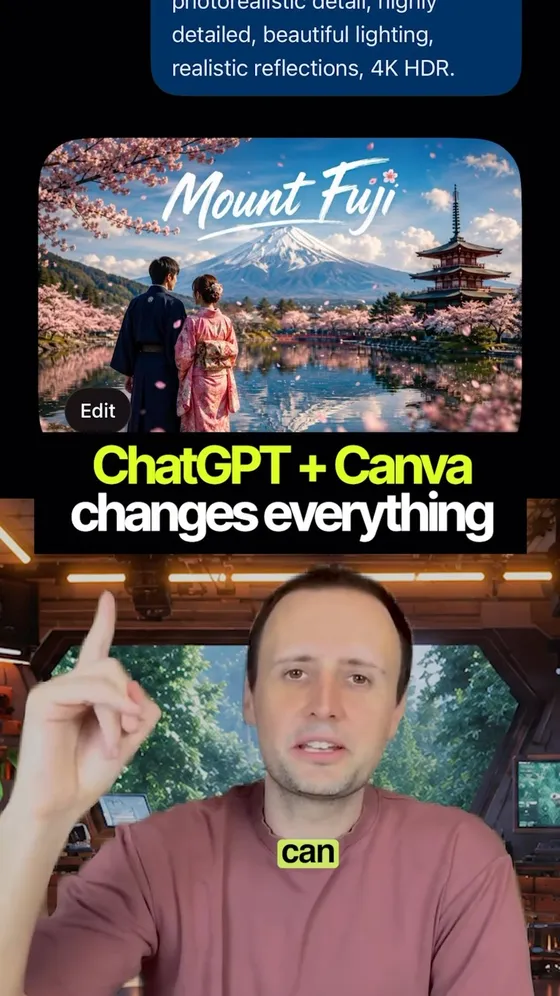
Get the scoopHide the scoopHere's the fix: Canva's Magic Layers now works right inside ChatGPT.
- 1️⃣ Prompt ChatGPT, generate your image.
- 2️⃣ In that same chat, type @Canva and send it over.
- 3️⃣ Seconds later it opens as an editable Canva design — text, objects and background all separated out.
- ✏️ Change the copy. Reposition elements. Resize it. Put it on brand. No more regenerating a whole image just to fix one line — what used to take ten prompts now takes a few clicks.
- 🔁 It isn't only ChatGPT. Canva shipped the same thing into Gemini, and into Claude and Copilot through its MCP server, so the handoff works from whichever assistant you already use: www.canva.com/newsroom/news/magic-layers-ai-assistants/
The part nobody's posting
Check it's switched on where you are before you build a workflow on it. Magic Layers launched on 11 March 2026 as a public beta in four countries — the US, UK, Canada and Australia — and the assistant integration followed on 11 June. It is still those four, still beta, with global availability promised and no date attached. From Singapore the @Canva step may simply not appear, and that is the version of this nobody mentions.
It also isn't unlimited. Canva's own page calls it "a premium AI tool, so each use counts toward your monthly AI usage allowance" — so it's metered against your plan rather than free-flowing, and sources disagree on whether the free tier gets any at all. Worth checking your own allowance before you plan around it. Practical limits too: JPEG or PNG, one image at a time, no PDFs or multi-page files.
The real skill here is upstream. Magic Layers is reading a flat picture and guessing where the seams are, so what it hands back depends almost entirely on what you gave it — a photo-realistic, textured, text-over-detail image separates badly no matter how good the model is. Generate something built to come apart and the layers arrive clean. That's what the prompt above is for.
Do this yourself
Make me a ___ graphic. Before you generate anything: I'm going to pull this image apart into editable layers afterwards, so it has to come out separable. Follow these constraints. - Flat, graphic, illustrated style. No photographic depth of field, no film grain, no textured overlay across the whole frame. - Every piece of text sits on its own solid or simple area of background. Never text over busy detail. - Strong contrast between the text and whatever is directly behind it. - The background is a plain field or a simple shape — not a scene the subject is embedded in. - Foreground objects must not overlap the text. - Real words, spelled correctly, in a plain sans-serif. No script, no decorative lettering, no fake-looking type. Ask me for the headline, the subheading and any small print before you start — don't invent the copy. Then generate one image at 1080x1350.
The separation is only ever as good as the image you handed it — photo-realistic and textured images come apart badly, flat graphic ones come apart cleanly. Works the same in Gemini. Pair it with 270 ChatGPT shortcodes for product photos if you want tighter control of the look.
★ Everything is a plugin|Building apps · Any AI
DeepSeek's open-source Claude Code
MIT, free, and every part swappable — the model, the tools, the memory, even the agent loop. 208k GitHub stars in under three weeks.
Get the scoopHide the scoop
★ Everything is a plugin|Building apps · Any AI
DeepSeek's open-source Claude Code
MIT, free, and every part swappable — the model, the tools, the memory, even the agent loop. 208k GitHub stars in under three weeks.
Get the scoopHide the scoop27,000 GitHub stars on day one. 95,000 by day two. 165,000 in a week. DeepSeek dropped their own free, open-source answer to Claude Code, and it's called DeepSeek Harness.
- 🔌 The difference is that everything inside it is a plugin. The model, the tools, the memory, even the agent loop itself. Swap out whatever piece you want and build your own agent from scratch — the repo's own one-line description is literally "Everything is a Plugin": github.com/deepseek-ai/deepseek-harness
- 🧩 The docs list the plugin categories as models, tools, skills, sessions, sandboxes, storage, loops, scheduling and the UI. There's no privileged core to patch — extending it means mounting another plugin beside the rest.
- 🧠 Which means any model, including locally: DeepSeek, Anthropic, OpenAI, or any OpenAI-compatible endpoint on your own network. And you can call Claude Code and Codex sub-agents from inside it, which turns them into tools rather than rivals.
- 📄 MIT licensed, completely free, written in TypeScript. One command to run it: npx @deepseek-ai/dsh web — it opens a web UI at 127.0.0.1:3080.
- 📈 The repo went up on 13 August 2026. As of today it's on 208,898 stars and 24,365 forks, so the 165,000 in the video is already out of date in the right direction.
The part nobody's posting
The 53 tools is a real number but not the one you get on launch. The generated tool catalog covers 25 plugin packages and 63 tool registrations — 53 once you drop the experimental Agent Teams package, which ships disabled — but a lot of those packages are opt-in, and how many the model actually sees depends on the preset. There are four: Standard, PTC, Minimal and Creator. Boot the default web session and the model is offered 26 tools. Minimal offers exactly two: bash and str_replace_editor.
The part nobody's posting is DeepSeek's own safety notice, and it's blunt. This is developer-preview software that has NOT had a security audit, it runs model-generated code and commands, it loads third-party plugins, and it reaches your files, processes, credentials and network. Their words: sandboxing and approval prompts "do not guarantee isolation", so run it with least privilege in a disposable VM or container and keep backups. Expect compatibility-breaking changes — the README shouts that in capitals.
Locked down is out, swappable is in — but swappable means you're now the one assembling it, and that's the real trade. Worth knowing too that free harness doesn't mean free model: DeepSeek raised its own API prices in August, and V4-Pro off-peak is roughly double what developers were paying before. Still far below Claude Opus, and you can point it at a local model for nothing — which is rather the point of a plugin you can swap.
Do this yourself
DeepSeek Harness is an open-source agent harness where every part is a swappable plugin: the model, the tools, the memory, the sandbox, the UI, even the agent loop itself. Before I install anything, help me work out whether I'd actually change any of it. Here's what I use AI coding agents for today: ___ Here's the thing that annoys me about the one I use: ___ Ask me 4 questions, one at a time, to fill in whatever I've left vague. Then give me: 1. A table of the swappable pieces — model, tools, memory/context, sandbox, agent loop, UI. For each: what I'm effectively running today, and whether the annoyance I named actually lives in that piece. Be blunt where it doesn't. 2. The ONE piece worth swapping first, and what would have to be true for the swap to pay off. 3. What I'd give up. Every locked-down tool is locked down in exchange for something — name what I'd be trading away. 4. A throwaway trial I could run in an afternoon: what to install, which real task to give it, and the specific observable thing that would tell me it's better or worse. Not "see how it feels". Then stop. Don't write any config.
Point 1 is the one that earns its keep — most "should I switch tools" answers never check whether your complaint is even in the part you'd be replacing. The harness itself needs Node and is a developer preview; see Pressure-test a technical plan for the generic version of this pressure test.
★ The robot farm|Work & career · Any AI
Lettuce in 15 days, no soil, no sun
A Rubik's-cube grid of bins in an Arizona warehouse grows greens in 15 days on 95% less water. The greens are in Whole Foods already — and the grid was built for storing parcels.
Get the scoopHide the scoop
★ The robot farm|Work & career · Any AI
Lettuce in 15 days, no soil, no sun
A Rubik's-cube grid of bins in an Arizona warehouse grows greens in 15 days on 95% less water. The greens are in Whole Foods already — and the grid was built for storing parcels.
Get the scoopHide the scoopNo soil. No sun. No farmers. Lettuce in 15 days. In a warehouse outside Phoenix, robots are growing leafy greens inside bins that ride a giant Rubik's-cube grid. Every bin moves to get the exact LED light and recycled nutrient water it needs, at the exact moment it needs it.
- 🥬 It's called Opollo Farm, built by AutoStore and OnePointOne in Avondale, Arizona, and announced in May 2025 — the release is linked as the source below.
- ⚡ Harvest-ready greens in 15 days, about half the time of traditional farming, using up to 95% less water and with no season to wait for.
- 🛒 Those greens are already on shelves in select Phoenix Whole Foods under the Willo brand. Strawberries and mushrooms are named as next.
- 📦 Here's the bit worth noticing: AutoStore did not build a farming robot. That cubic grid is a warehouse system — it was built to store and pick parcels, and has been running in distribution centres for years. The farm is that same system with plants in the bins instead of stock.
- 🚚 It also deletes the 2,000-mile average trip from farm to distribution centre that the launch release calls out. A farm sitting miles from the store instead of states away changes the maths on what arrives fresh.
The part nobody's posting
Two things worth being precise about. The launch release doesn't actually say AI — it says "advanced software continuously monitors each plant's status and adjusts conditions in real time". OnePointOne's own descriptions of the Avondale farm do name AI, autonomous robots and cameras inspecting the plants, with operators able to set conditions from up to 2,000 miles away. So it's real, but the AI is doing plant inspection and climate control, not driving the warehouse.
And the food-waste number moves depending on where you measure. FAO's figure for fruit and veg lost between harvest and retail is 25.4% — the highest of any food category. The 40-50% version counts the whole chain, including what shoppers throw out at home. Either way the point survives: produce is the most-wasted thing we grow, and distance is a large part of why.
The lesson isn't lettuce. Farming didn't get automated in a field — it got automated in a warehouse, by someone who stopped trying to build a robot for the job and moved the job somewhere a robot already worked. That question is worth asking about your own week, which is what the prompt does. 🤖
Do this yourself
Here's what I do: ___ A vertical farm outside Phoenix didn't automate farming by building a better tractor. It moved the plants into a warehouse storage system that was already automated, for a completely different industry — and got lettuce in 15 days. Do that thinking for my work. 1. Break what I do into 6-10 steps, in the order they actually happen. 2. For each step, say whether the hard part is JUDGEMENT or LOGISTICS — the moving, sorting, chasing, formatting, waiting, re-typing. 3. Take the three biggest logistics steps. For each, name an industry that already solved that exact shape of problem, and what its solved version is called. 4. For each of those three, tell me what my work would have to change into for that solution to fit — and be specific about what I'd be giving up. 5. Finish with the one that's actually possible for me this month, and the first thing I'd do on Monday. Don't suggest an AI tool for any step where the hard part is judgement.
Step 2 is the whole prompt. Ask what AI can do for your job and it aims at the interesting part; the automatable part is nearly always the dull logistics wrapped around it. See Find the task worth automating for the version that stays inside your current job.
★ The structure tell|Creating content · Any AI
The AI tell isn't the em dash
A detector from Maryland and DeepMind hits 93% on 61,608 stories without reading a single word choice. It looks at how the story is built — and style edits barely dent it.
Get the scoopHide the scoop
★ The structure tell|Creating content · Any AI
The AI tell isn't the em dash
A detector from Maryland and DeepMind hits 93% on 61,608 stories without reading a single word choice. It looks at how the story is built — and style edits barely dent it.
Get the scoopHide the scoop93% accuracy. 61,608 stories. Not a single em dash checked. Researchers at the University of Maryland and Google DeepMind built a detector called StoryScope — and it doesn't look at your words at all. Not vocabulary. Not sentence length. Not punctuation. It looks at how the story is built.
- 📚 The paper — arxiv.org/abs/2604.03136. 61,608 stories: 10,272 writing prompts, each answered by a human author and five LLMs. Code at github.com/jenna-russell/storyscope.
- 📏 AI writes in a straight line. One main character. One tidy plot. One neat ending that spells out the lesson for you, like you couldn't work it out yourself.
- 🗣 The narrator explicitly explains the theme 77% of the time. Humans? 52%. Dialogue gets used for philosophical debate 59% of the time against 34%.
- 🔹 Claude — notably flat event escalation. Tension barely climbs; quiet endings.
- 🔹 GPT — over-indexes on dream sequences, and leans on gossip and rumour as plot engines.
- 🔹 Gemini — defaults to describing characters from the outside, and ties everything up a little too neatly.
- 🧱 You can edit your prose all you want. When the researchers ran the detector against stories deliberately edited to strip the style tells, accuracy fell by less than a percentage point. The structure is the story.
The part nobody's posting
Two things worth being precise about, because this number is going to get quoted. The 93.2% is a macro-F1 score on a balanced human-versus-AI task, not a real-world accuracy rate — point it at a pile of mixed writing in the wild and the false-positive maths changes completely. And it is a preprint under review, not a settled result.
The useful half isn't detection anyway. Every feature it measures is a craft note in disguise: state the theme less, let a subplot run, make somebody change, leave something unresolved. Writing to beat a detector is a losing game — the same list read as advice is just what makes a story worth finishing.
Do this yourself
Here's a story I've written: ___ Audit its STRUCTURE, not its prose. Ignore vocabulary, sentence length and punctuation entirely — I don't want notes on word choice. Check it against the patterns that separate AI fiction from human fiction: 1. Does the narrator state the theme outright, or does the reader have to work it out? Quote the line if it's stated. 2. Is the plot a straight line, or does anything run alongside it? 3. How many characters actually change over the story? How many are only ever described from the outside? 4. Does tension escalate, or stay level? Mark the highest-tension moment. 5. Does the ending resolve everything? Name what's left open. 6. Is emotion named plainly ("she felt afraid") or rendered as something happening in the body? For each one, tell me which side of the line I'm on and quote the evidence. Then give me the three structural changes that would matter most — not rewrites of sentences.
"Ignore vocabulary and punctuation" is load-bearing. Ask a model to review a story and it defaults to line edits, which is precisely the layer the research found doesn't matter — the six questions are the features the detector actually reads.
★ Getting recommended|Work & career · Claude
Getting named by ChatGPT, not just ranked by Google
Google ranks pages. AI recommends brands. Two free-ish audits, then one prompt that turns both reports into a single ordered fix list.
Get the scoopHide the scoop
★ Getting recommended|Work & career · Claude
Getting named by ChatGPT, not just ranked by Google
Google ranks pages. AI recommends brands. Two free-ish audits, then one prompt that turns both reports into a single ordered fix list.
Get the scoopHide the scoopEveryone's still optimising for Google while ChatGPT quietly decides who gets recommended. These are two audits and a prompt — one tells you what's technically broken, one tells you whether AI engines name you at all, and the prompt turns both into a single ordered list.
- 1️⃣ Claude SEO — github.com/AgriciDaniel/claude-seo. A free, open-source (MIT) skill for Claude Code: 25 sub-skills and 18 agents covering crawlability, Core Web Vitals, schema, internal links and GEO. Connect it to Google Search Console and it audits the whole site. Docs at claude-seo.md.
- 2️⃣ RankScale — rankscale.ai. Checks whether ChatGPT, Claude, Gemini, Perplexity and AI Overviews actually recommend you across 17+ engines, and gives you a visibility score with the reasons you're being skipped.
- 3️⃣ Feed both reports back to Claude with the prompt below. One ordered fix list, sorted by impact per hour rather than by severity.
- 🧰 Claude SEO needs Claude Code and Python 3.11+ — it's a plugin, not something you paste into the chat app. That's the prerequisite the pitch skips.
- 🧭 The two reports answer genuinely different questions. Google indexes pages and ranks them; an AI engine reads a handful of sources and names a brand. A site can be technically flawless and still never get mentioned, which is exactly the gap the second report exists to show you.
The part nobody's posting
The workflow isn't free, and it's worth knowing which half is. Claude SEO is MIT-licensed and free forever. RankScale is not: there's no permanent free tier, plans start at $20 a month, and the 7-day trial is on the $99 Pro plan. Still nothing like a consultant's fee, but "free" only covers step one.
The bigger thing neither tool fixes: AI engines mostly recommend you based on what OTHER sites say about you. Your own markup makes you quotable; being quoted at all comes from directories, listicles, reviews and press you don't control. A perfect technical audit and a zero visibility score usually means the problem was never on your website.
Do this yourself
I've attached two reports on ___: a technical SEO audit, and an AI visibility report showing whether ChatGPT, Claude, Gemini and AI Overviews currently recommend us. Read both, then give me ONE ordered fix list. For each fix: - What to change, specifically enough that I could do it today - Which report flagged it, and what it actually costs me to leave broken - Whether it helps Google ranking, AI recommendation, or both - Roughly how long it takes, and whether it needs a developer Order by impact per hour of work, not by severity score. Put anything only a developer can do in a separate list at the bottom. Then tell me the single item that would change the most, and what on the list I should ignore entirely.
"Impact per hour" is the instruction doing the work — both tools sort by severity, which floats up expensive structural fixes and buries the twenty-minute ones that actually move you. Asking what to ignore is the other half: an audit that flags 90 things is a to-do list nobody starts.
★ The food codes|Creating content · ChatGPT
280 shortcodes for food and drink ads
One burger, every campaign. Teach the mapping once, then type a slash command and get a finished food ad — 12 from the video and 268 more.
Get the scoopHide the scoop
★ The food codes|Creating content · ChatGPT
280 shortcodes for food and drink ads
One burger, every campaign. Teach the mapping once, then type a slash command and get a finished food ad — 12 from the video and 268 more.
Get the scoopHide the scoopType a slash command, get a finished food ad in seconds — no photographer, no studio, no set. None of these are built in: you teach the mapping once, then upload a photo of the product and type a code.
- 🍔 From the video (12) — /Magazine Cover · /Product Explosion · /Ad Creative · /Museum Display · /Retro Ad
- 📸 Studio & Hero (24) — /Clean Studio · /Dark Studio · /Gradient Backdrop · /Floating Hero · /Levitation Stack
- 🔥 Heat, Smoke & Cooking (18) — /Flame Kiss · /Smoke Curl · /Steam Rise · /Char Marks · /Sizzle Pan
- 🥬 Ingredients & Deconstruction (18) — /Exploded Layers · /Cross Section · /Ingredient Halo · /Knolling Kitchen · /Build Sequence
- 🌱 Freshness & Sourcing (16) — /Farm Table · /Market Stall · /Morning Harvest · /Herb Garden · /Water Drops
- 📰 Print & Poster (18) — /Magazine Spread · /Food Cover · /Movie Poster · /Gig Poster · /Newspaper Ad
- 🏙 Out-of-Home & Billboard (16) — /Highway Billboard · /Bus Shelter · /Subway Poster · /Building Wrap · /3D Anamorphic
- 📦 Packaging & Branding (18) — /Box Mockup · /Bag Design · /Cup Design · /Label Wrap · /Wrapper Art
- 🕰 Retro & Era (18) — /Fifties Diner · /Sixties Print · /Seventies Cookbook · /Eighties Neon · /Nineties Fastfood
- 🎨 Fine Art & Illustration (16) — /Oil Painting · /Dutch Still Life · /Watercolour · /Ink Sketch · /Charcoal Study
- 🎄 Seasonal & Occasion (16) — /Christmas Table · /Halloween Dark · /Easter Pastel · /Summer BBQ · /Autumn Harvest
- 📱 Social-Native (18) — /Reel Cover · /Story Frame · /Carousel Set · /Grid Triptych · /Before After
- 🍽 Menu & Restaurant (14) — /Menu Hero · /Combo Deal · /Price Flash · /Limited Edition · /New Item
- 🥤 Drinks (16) — /Pour Shot · /Ice Clink · /Condensation · /Latte Art · /Coffee Bloom
- 🌀 Surreal & Miniature (16) — /Tiny People · /Giant Portion · /Food Landscape · /Floating Island · /Zero Gravity
- 🙋 Lifestyle & People (14) — /In Hand · /First Bite · /Family Table · /Street Eat · /Desk Lunch
- 🔬 Texture & Macro (12) — /Macro Crumb · /Crispy Edge · /Melt Detail · /Sugar Frost · /Grain Detail
- 🧱 Stack them. /Hero Shot /Fire Grill gives you the premium angle with the flames.
- ✏️ Override inline. /Menu Board price: 2 for 9.99 passes your copy straight through.
- 🔁 Same codes, any product. Burgers, coffee, cookies, hot sauce — the code describes the treatment, not the food.
- 🎨 Lock your brand once. Palette, logo and tone at the top of a Project, and every code after that stays on brand.
- 👇 All 280 are in the block below, with the setup instruction on top. Copy the whole thing into a Project once. The general product-photo set is at 270 ChatGPT shortcodes for product photos.
The part nobody's posting
The codes describe the TREATMENT, not the food, which is why the same sheet works on a burger, a flat white and a bottle of hot sauce. That's also the limit worth knowing: a code sets the lighting, angle and world, and none of them fixes a bad source photo. Shoot the product cleanly and the codes do the rest; shoot it badly and all 280 inherit the problem.
Worth saying plainly — a generated food ad is a mockup, not a photograph. It's for pitching a direction on Thursday when a client wants creative by Friday. The moment it becomes the actual advert for actual food, you're showing people a burger that has never existed, and that's a different decision with rules attached.
Do this yourself
When I send a message starting with a forward slash, treat it as a shortcode for a food image brief. Interpret the code, expand it into a full image prompt with lighting, camera angle, styling and mood, apply it to whatever food or drink I've described or uploaded, and generate the image. Don't ask me to confirm — just build it. Case doesn't matter. If I add words after the code, treat those as overrides. FROM THE VIDEO /Magazine Cover — turn it into a magazine cover /Product Explosion — explode every ingredient /Ad Creative — a polished product ad /Museum Display — drop it in a gallery exhibit /Retro Ad — vintage ad energy /Menu Board — a full fast-food menu campaign /Fire Grill — flames and smoky grill vibes /Hero Shot — the premium product shot /Times Square Ad — put it on a giant billboard /Delivery Ad — a food delivery campaign /Miniature World — build a tiny world around it /Pop Art — bold, loud, unmissable STUDIO & HERO /Clean Studio — white seamless, soft even light, catalogue standard /Dark Studio — black gloss surface, one hard light, deep shadow /Gradient Backdrop — soft two-tone gradient behind the food /Floating Hero — suspended mid-air with a soft contact shadow /Levitation Stack — layers separated and hovering in a vertical column /Spin Plate — shot as if mid-rotation on a turntable /Low Hero — low three-quarter angle, food towering over the camera /Overhead Flat Lay — directly overhead, everything squared to the frame /Rule Of Thirds — food off-centre with generous negative space for copy /Mirror Base — polished reflective surface with a clean symmetrical reflection /Marble Slab — cold white marble, soft window light /Slate Board — dark slate, moody side light, rustic edges /Butcher Paper — laid on kraft paper with grease marks /Wire Rack — cooling rack with crumbs falling through /Glass Pedestal — raised on glass under gallery lighting /Spotlight Drop — single overhead spot, everything else in darkness /Rim Light — bright edge light separating the food from a dark background /Backlit Glow — lit from behind so steam and edges glow /Window Light — soft daylight through a kitchen window, gentle falloff /Candle Lit — warm low candlelight, intimate and dim /Neon Wash — magenta and cyan neon washing across the surface /Colour Block — bold flat two-tone background, graphic and modern /Shadow Play — hard palm or blind shadows striping the frame /Paper Set — built inside a layered cut-paper scene HEAT, SMOKE & COOKING /Flame Kiss — live flame licking the edge, caught mid-flare /Smoke Curl — thin smoke curling up through a dark frame /Steam Rise — hot steam rising, moody kitchen backdrop /Char Marks — fresh grill marks searing into the surface /Sizzle Pan — mid-sizzle in a hot pan, oil jumping /Wok Toss — food mid-air above a wok, flame underneath /Deep Fry — the moment it hits the oil, bubbles exploding /Oven Pull — pulled from the oven, tray still glowing hot /Cheese Pull — a long stretch of melted cheese mid-lift /Butter Melt — butter sliding and pooling as it melts /Sauce Drizzle — sauce pouring in a slow ribbon from above /Glaze Coat — glossy glaze catching the light as it coats /Smoker Haze — thick barbecue smoke filling the background /Coal Glow — embers glowing red beneath the grill bars /Torch Finish — a blowtorch caramelising the top edge /Steam Cabinet — condensation and steam on glass, food behind /Boil Over — bubbling liquid at the moment it rises /Cast Iron — served in a blackened cast iron skillet INGREDIENTS & DECONSTRUCTION /Exploded Layers — every layer separated and floating in order /Cross Section — cut clean through, showing the inside /Ingredient Halo — components arranged in a ring around the hero /Knolling Kitchen — every ingredient laid out in a neat parallel grid /Build Sequence — the same item shown at four stages of assembly /Falling Ingredients — components dropping into frame, frozen mid-air /Split Shot — half raw ingredients, half finished dish /Bite Taken — one bite missing, filling visible /Pull Apart — torn in two with a stretch between the halves /Stack Tower — an impossibly tall stack, perfectly aligned /Deconstructed Plate — fine-dining scatter of separated elements /Origin Trio — the dish plus the three raw things it came from /Ingredient Portrait — one hero ingredient shot like a still life /Weighed Out — ingredients portioned on scales and in bowls /Recipe Overhead — every measured component labelled from above /Layer Diagram — labelled cutaway explaining what's inside /Sauce Swipe — a clean spoon swipe of sauce beside the food /Garnish Drop — herbs falling and settling on top FRESHNESS & SOURCING /Farm Table — on rough wood with soil-dusted produce /Market Stall — surrounded by crates at a produce market /Morning Harvest — dew-covered ingredients in early light /Herb Garden — growing herbs framing the shot /Water Drops — cold beads of condensation on the surface /Ice Bed — nestled in crushed ice with visible chill /Just Picked — held in hands, still with stalks and leaves /Wooden Crate — packed in a rustic delivery crate /Field Backdrop — the field it was grown in, softly out of focus /Fisherman Catch — fresh catch on ice with nets behind /Bakery Morning — flour dust in the air, dawn light, proving baskets /Dairy Fresh — cool blues and whites, milk splash, clean surfaces /Orchard Light — dappled light through fruit trees /Root To Plate — the whole plant beside the finished dish /Grain Sack — spilling from an open hessian sack /Cold Chain — frosted packaging straight from the freezer PRINT & POSTER /Magazine Spread — full double-page editorial with pull quote /Food Cover — glossy food-magazine cover with cover lines /Movie Poster — cinematic one-sheet with billing block /Gig Poster — screen-printed, limited palette, loud type /Newspaper Ad — halftone black and white classified-page ad /Broadsheet Feature — restrained editorial layout, serif headline /Recipe Card — printed recipe card with the dish photographed above /Cookbook Page — cookbook spread with method text beside the shot /Zine Page — cut-and-paste photocopied zine aesthetic /Letterpress — deep impression on thick cotton paper /Risograph — two-colour riso print with visible misregistration /Stamp Design — postage stamp with perforated edge /Ticket Stub — designed as a torn event ticket /Postcard Front — holiday postcard with a place name /Book Jacket — hardback dust jacket with spine and flap /Manifesto Poster — dense typographic poster, food as the only image /Field Guide — illustrated botanical-style plate with labels /Vinyl Sleeve — album cover treatment, square crop OUT-OF-HOME & BILLBOARD /Highway Billboard — huge roadside board shot from a passing car /Bus Shelter — backlit six-sheet in a city bus stop /Subway Poster — tiled underground platform, train blurring past /Building Wrap — the whole side of a tower covered /3D Anamorphic — the food appearing to burst out of a curved corner screen /Projection Mapping — projected across a building facade at night /Truck Wrap — a delivery truck liveried and moving /Shop Window — vinyl window graphic with the street reflected /Airport Lightbox — lit panel in a terminal walkway /Stadium Screen — on the big screen above a packed crowd /Taxi Top — illuminated cab-top sign at night in traffic /Scaffold Banner — mesh banner across construction scaffolding /Rooftop Sign — classic lit rooftop sign against dusk sky /Sandwich Board — hand-lettered pavement board outside a shop /Metro Escalator — a run of panels along an escalator wall /Drone Swarm — drawn in the night sky by a drone light show PACKAGING & BRANDING /Box Mockup — branded takeaway box, clean studio render /Bag Design — paper carry bag with handles and full artwork /Cup Design — branded cup with sleeve and lid /Label Wrap — bottle or jar label shown flat and applied /Wrapper Art — printed foil or paper wrapper, half unwrapped /Tin Design — retro printed tin with embossed lid /Pouch Stand — stand-up pouch with matte finish and window /Tray Set — full meal-deal tray with branded liner /Brand Board — logo, palette, type and photography on one sheet /Type Specimen — the wordmark shown large with its type family /Sticker Sheet — a sheet of die-cut brand stickers /Napkin Print — branded napkin and cutlery wrap /Menu Design — printed menu with the dish photographed alongside /Delivery Seal — tamper seal and branded delivery packaging /Shelf Row — the product repeated in a supermarket shelf facing /Gift Set — premium boxed gift set with tissue and ribbon /Loyalty Card — stamp card design with the product on the front /Van Livery — branded van side, parked on a street RETRO & ERA /Fifties Diner — chrome, checkerboard floor, jukebox colours /Sixties Print — flat offset colour, optimistic housewife-era layout /Seventies Cookbook — muted browns and oranges, slightly off food styling /Eighties Neon — airbrushed chrome type and grid horizon /Nineties Fastfood — bright primary colours, bold outlines, clip-art energy /Y2K Chrome — liquid chrome, lens flares, translucent blue /Vintage Tin Sign — enamel advertising sign with chipped paint /Old Photograph — faded, scratched, slightly overexposed print /Polaroid Snap — instant film with a white border and date scrawl /Super 8 — grainy film still with light leaks /VHS Frame — tracking lines, timestamp, soft chroma bleed /Soviet Poster — constructivist angles, red and cream, heavy type /Art Nouveau — flowing organic border framing the food /Art Deco — symmetrical gold geometry, Gatsby-era luxury /Victorian Engraving — fine cross-hatched engraving illustration /Wartime Ration — utilitarian propaganda-poster styling /Mid Century Modern — clean shapes, muted palette, confident white space /Grunge Nineties — photocopied textures, torn edges, ransom type FINE ART & ILLUSTRATION /Oil Painting — thick impasto still life in old-master lighting /Dutch Still Life — dark background, dramatic light, abundant table /Watercolour — loose washes with the paper showing through /Ink Sketch — confident pen linework with minimal shading /Charcoal Study — smudged monochrome tonal drawing /Gouache Poster — flat matte painted shapes, poster-like /Line Art — single continuous line describing the whole subject /Woodcut — bold carved block print, high contrast /Stained Glass — leaded coloured glass panel with light behind /Mosaic Tile — built from small ceramic tiles /Papercut Layers — layered paper shadow box with depth /Embroidery — stitched onto fabric with visible thread texture /Claymation — hand-modelled clay version with fingerprints /Isometric Scene — clean isometric diorama of the whole setup /Low Poly — faceted geometric 3D render /Blueprint — technical drawing with dimensions and annotations SEASONAL & OCCASION /Christmas Table — pine, candles, warm red and gold /Halloween Dark — moody orange and black with fog /Easter Pastel — soft spring pastels and fresh flowers /Summer BBQ — bright midday sun, garden table, cold drinks /Autumn Harvest — russet leaves, warm low sun, rustic wood /Winter Warmer — knitted textures, frosted window, steam /Valentines Red — deep reds, soft focus, two settings /Lunar New Year — red and gold, blossom, celebratory abundance /Diwali Lights — oil lamps, marigolds, warm glow /Ramadan Table — dates and lanterns, evening light /Birthday Party — candles, confetti, bright celebration /Game Day — sharing platters, team colours, big screen behind /Picnic Blanket — checked blanket, grass, basket, dappled light /Back To School — lunchbox flat lay, notebook and pencils /New Year Gold — champagne tones, sparkle, midnight palette /Mothers Day — soft florals, gentle light, delicate plating SOCIAL-NATIVE /Reel Cover — vertical thumbnail with bold readable text /Story Frame — nine-sixteen with room for stickers at top and bottom /Carousel Set — a matched set of square frames that continue across /Grid Triptych — one image split across three feed squares /Before After — the same dish before and after, split down the middle /Recipe Reel — overhead step frames in a vertical strip /Quote Card — a short line of copy over a soft-focus food shot /Stat Card — one number pulled out large beside the product /Comment Bait — a deliberate this-or-that comparison shot /Duet Frame — left half empty for a reaction video /Thumbnail Face — food plus an exaggerated reaction expression /Unboxing Frame — first-person view opening the packaging /Phone In Hand — the ad shown on a phone held in a real setting /Meme Format — food dropped into a recognisable meme layout /Countdown Post — a numbered ranking frame, top spot revealed /Sticker Pack — cut-out food stickers with white borders /Poll Frame — two options side by side ready for a poll sticker /Ugc Style — deliberately casual, phone-shot, real-table energy MENU & RESTAURANT /Menu Hero — the single dish shot that anchors a menu page /Combo Deal — a full meal deal grouped with a price flash /Price Flash — the product with a bold discount burst /Limited Edition — a special-release badge and premium styling /New Item — a launch frame with a "new" flag /Chalkboard Special — hand-lettered chalk board beside the plate /Table Setting — plated and styled on a full restaurant table /Chef Plating — hands finishing the plate mid-service /Kitchen Pass — under the heat lamps at the service pass /Open Kitchen — the dish with a working kitchen blurred behind /Counter Display — in a lit glass display case /Takeaway Row — a row of boxed meals ready for collection /Loyalty Offer — a repeat-visit offer laid over the dish /Catering Spread — a long table of platters for events DRINKS /Pour Shot — mid-pour with the liquid arcing into the glass /Ice Clink — ice dropping into the glass, splash frozen /Condensation — a cold glass beaded with moisture /Latte Art — top-down on a finished pour with detailed foam /Coffee Bloom — the bloom rising in a pour-over /Cocktail Garnish — a garnish being placed, bar tools in shot /Layered Drink — visible density layers in a clear glass /Bubble Rise — carbonation rising through the liquid /Smoothie Splash — thick liquid mid-splash against a bright backdrop /Wine Swirl — mid-swirl in a glass, deep colour against light /Beer Head — a fresh head settling on a cold pour /Tea Steep — colour blooming through hot water /Milk Swirl — milk folding into a dark drink /Cheers Clink — two glasses meeting, splash caught /Bottle Sweat — a chilled bottle with a cold-sweat sheen /Juice Squeeze — fruit being squeezed straight into the glass SURREAL & MINIATURE /Tiny People — miniature figures working on a giant portion /Giant Portion — the food scaled up against a real street /Food Landscape — the dish styled as mountains and rivers /Floating Island — the food on a rock island in open sky /Zero Gravity — everything drifting weightless in the frame /Impossible Balance — an unlikely stack defying physics /Portal Frame — the food emerging through a hole in the image /Inside Out — the interior scaled up as an environment /Split Universe — half realistic, half stylised down the centre /Optical Illusion — the food arranged as another object entirely /Escher Table — impossible geometry in the table setting /Cloud Serve — served on a cloud in daylight sky /Underwater — fully submerged with bubbles and caustic light /Space Diner — the dish floating with a planet behind it /Doll House — set inside a miniature dolls-house kitchen /Origami Set — the whole scene folded from paper LIFESTYLE & PEOPLE /In Hand — held in a real hand, natural light, casual crop /First Bite — the moment of biting in, genuine reaction /Family Table — a shared meal, several hands reaching in /Street Eat — eaten standing on a busy street /Desk Lunch — at a working desk between tasks /Car Window — passed through a car window at a drive-through /Kids Table — bright, playful, child-height perspective /Date Night — two settings, low light, intimate crop /Friends Sharing — a group platter mid-conversation /Delivery Doorstep — handed over at a front door /Chef Portrait — the maker photographed with their dish /Market Trader — a vendor with their own product /Late Night — the after-hours meal, neon and empty streets /Morning Rush — coffee and pastry taken on the move TEXTURE & MACRO /Macro Crumb — extreme close-up on crumb structure /Crispy Edge — the fried or baked edge in sharp detail /Melt Detail — the exact point where something is melting /Sugar Frost — a dusting of sugar or salt caught in the light /Grain Detail — the surface texture of bread or pastry /Juice Bead — a single bead of juice about to fall /Fibre Pull — pulled meat or fruit showing its fibres /Bubble Skin — the blistered surface of a crust /Powder Cloud — cocoa or flour caught mid-air as it falls /Cut Face — the clean face of a knife cut, still glistening /Seed Detail — seeds and flecks shown at high magnification /Salt Crystal — coarse crystals scattered across a surface
It needs somewhere persistent to keep the mapping — a ChatGPT Project, a Claude Project or a Gem. Paste it into a one-off chat and you re-teach it every session.
★ The free stack|Getting started · Any AI
Free alternatives to the AI tools you pay for
Most of what you pay a subscription for has a free version that's good enough for one person. This finds them for your stack specifically, sorted by what they're actually for.
Get the scoopHide the scoop
★ The free stack|Getting started · Any AI
Free alternatives to the AI tools you pay for
Most of what you pay a subscription for has a free version that's good enough for one person. This finds them for your stack specifically, sorted by what they're actually for.
Get the scoopHide the scoopThree columns — the job, the paid tool everyone reaches for, and the free one that does the same work. Sorted by what you're trying to DO rather than dumped as a random list. The prompt below runs that table for your stack specifically: you name what you're paying for, it finds the free equivalents.
- 🧠 Sorted by job, not by name. A list of 100 tools alphabetically is unusable; a list grouped by what you'd reach for them to do is the difference between a bookmark and a decision.
- 🔎 Run it with web search ON. This is the one prompt on this page where that matters most — a model answering from training data will hand you tools that have shut down and free tiers that quietly became 14-day trials.
- 🎣 Free tier or free trial? The prompt asks for this explicitly because it's where the time goes. A tool that's free for 14 days is a paid tool with a delay, and it looks identical in every listicle.
- 🚧 The honest gaps matter more than the list. Asking it to say plainly when there's no real free equivalent is what stops it padding — and the tools with no free version are the ones actually worth your subscription.
- 🧾 Then check three. The last line of the prompt asks the model to flag its own uncertainty, which turns the output into something you verify rather than something you trust wholesale.
The part nobody's posting
The reason a generated list beats a saved one: any list of free AI tools is out of date the month after it's written. Free tiers get cut, tools get bought, pricing pages change quietly. A prompt you re-run against your own subscriptions survives all of that; a screenshot of somebody's top 100 does not.
And it answers the question that actually matters, which is not "what free tools exist" but "what am I paying for that I don't need to". Those are different lists, and only one of them saves you anything.
Do this yourself
Here's what I currently pay for: ___. For each one, find me the best free alternative a solo user can actually run. Give me, per tool: - The free option, and who makes it - What you give up against the paid version — the specific limit (how many generations, what resolution, which models), not "fewer features" - Whether the free tier is genuinely free or a trial that expires - The one job it does better than the paid tool, if there is one Sort the answer by what the tools are FOR, not by name. If something I pay for has no real free equivalent, say so plainly instead of padding the list. Last: flag anything you're not confident is still accurate. I'd rather check three than trust twenty.
Turn web search on before you run it. Pricing and free tiers move monthly, and without search you get a confident list assembled from training data — tools that shut down, and free tiers that became trials.
★ Assembled, not built|Building apps · Any AI
Where premium-looking sites actually come from
Most premium-looking sites aren't custom-built, they're assembled from component libraries. Three of them, and the plan to make before you open any of them.
Get the scoopHide the scoop
★ Assembled, not built|Building apps · Any AI
Where premium-looking sites actually come from
Most premium-looking sites aren't custom-built, they're assembled from component libraries. Three of them, and the plan to make before you open any of them.
Get the scoopHide the scoopMost "premium looking" websites aren't custom-built. They're assembled. Three libraries do the heavy lifting — here's what each one actually is, what it costs, and the planning step that stops you shipping a showreel.
- 🎬 Animmaster Lib — animmasterlib.dev. 300 components across 14 categories: scroll animations (66), hero sections, sliders, 3D, navigation, hover and mouse effects, WebGL shaders, page transitions. The heaviest of the three by some distance.
- 🧩 Skiper UI — skiper-ui.com. 106+ components built on shadcn/ui — hero sections, cards, pricing blocks, carousels, preloaders. Installs through the shadcn CLI, so it drops into a Next.js project the way the rest of your components already do.
- ⚡ Vengeance UI — vengenceui.com. 46 components across 9 families plus 100+ layout blocks, aimed squarely at landing pages. Note the domain drops the second "a".
- 💸 One of the three is free. Vengeance UI is open source, in the Vercel OSS Program, installed with npx shadcn@latest add. The other two are paid — Animmaster from about $5 one-time, Skiper UI at $129 for the premium set with a handful free to try.
- 👇 The planning prompt is below. The one for making a pasted component fit your project is under "More from these videos" at the bottom of the page.
The part nobody's posting
"Zero design skills needed" is the part worth pushing back on. A library removes the drawing, not the deciding — 450 components hands you 450 ways to make a page feel busy, and nothing in any of them tells you which six sections your page needs or which one thing should move. That judgement is the whole job, and it's why the prompt below plans the page before you open a library rather than after.
The costs are worth knowing before you build a workflow on them: Animmaster and Skiper are one-time payments, not subscriptions, but Skiper's premium tier is $129 — a real number that "copy, paste, done" doesn't hint at.
Do this yourself
I'm building a landing page for ___. The one thing a visitor should do is ___. Before I go shopping in a component library, plan the page. Give me: 1. The sections, in order, and what each one has to prove. No more than six. 2. For each section, the ONE interaction worth animating — and say plainly if the answer is none. 3. The three places motion would actively hurt: where it delays the thing someone came to read or click. Rules: every animation has to earn its place by making something clearer, not by being impressive. Assume the visitor is on a phone, on data, and half-interested. Then give me a shopping list: the component type I need for each section, described generically enough that I can match it against any library.
The shopping list at the end is the point — decide the sections first and the library second. Go the other way and you end up with 300 components and a page that scrolls like a showreel.
★ The peel|Creating content · Kling
Peel the image off a phone screen
A hand pinches the corner of your screen and peels the picture off like film. One photo, one prompt, five seconds of video.
Get the scoopHide the scoop
★ The peel|Creating content · Kling
Peel the image off a phone screen
A hand pinches the corner of your screen and peels the picture off like film. One photo, one prompt, five seconds of video.
Get the scoopHide the scoopThe effect where a hand grabs the corner of a phone screen and peels the picture off like a sticker. One still photo in, five seconds of video out. The prompt is below; here's everything around it that decides whether it works.
- 📷 Shoot the photo properly — this is 80% of the result. Straight-on, device fully in frame with breathing room around it, screen at full brightness, no glare or reflections. An angled or glare-heavy shot peels badly and no prompt rescues it.
- 2️⃣ Kling AI → Video → Image to Video → Kling 3.0. Turbo and Omni are variants of 3.0 rather than newer models, so take whichever 3.x the tab lists.
- 3️⃣ Upload the photo, paste the prompt, set duration to 5s.
- 4️⃣ Use Professional mode if you have it, and pull the creativity/relevance slider toward relevance so it sticks to your image instead of reinventing the screen.
- 5️⃣ Generate 2–3 times and pick the best. Peel physics are luck-of-the-draw — the second or third run is usually the clean one.
- 🔧 If the device warps as the sheet lifts, add "the phone body is rigid and does not move". If the hand looks wrong, use the no-hand variant.
- 👇 The prompt and its negative prompt are below. The two variants — no hand, and a see-through reveal — are under "More from these videos" at the bottom of the page.
The part nobody's posting
The negative prompt is doing more work than it looks. "Extra fingers" and "distorted hands" are the two failures that make an otherwise perfect take unusable, and they're the ones you can't fix by regenerating the same seed.
Generating three times is the actual technique here. Nobody's first peel is the one they post.
Do this yourself
PROMPT A hand enters from the right edge of frame and pinches the bottom-right corner of the image on the screen. The on-screen picture behaves like a thin flexible film. The hand peels it up and across the screen in one smooth continuous motion, the sheet curling naturally with a soft highlight running along the curve and a soft shadow falling on the surface beneath. Behind the peeled layer, the screen is revealed as black glass with faint room reflections. The device, desk and background remain completely still. Locked-off camera, no zoom, no pan. Photorealistic, natural lighting, smooth realistic physics. NEGATIVE PROMPT warped device, bending screen, distorted hands, extra fingers, camera shake, zoom, text morphing, blur
"The device, desk and background remain completely still" plus the locked-off camera is what stops the phone bending along with the sheet — the peel is the only thing allowed to move. Runway, Veo and Hailuo take the same prompt; Kling is what the video used.
★ The product shot|Creating content · Claude
Turn a camera-roll photo into a studio product ad
A plain photo on a white wall becomes a studio ad. Claude directs the shoot and writes the image prompt; Reve renders it. About a minute.
Get the scoopHide the scoop
★ The product shot|Creating content · Claude
Turn a camera-roll photo into a studio product ad
A plain photo on a white wall becomes a studio ad. Claude directs the shoot and writes the image prompt; Reve renders it. About a minute.
Get the scoopHide the scoopTwo tools, about a minute. A plain photo of your product on a clean surface, Claude to art-direct it and write the image prompt, and Reve to render and edit the result. Plain photo → Claude directs → paste into Reve → draw to refine → export 4K.
- 📸 The photo first. Plain background — a white wall, a sheet of paper, a table with nothing on it. Soft even light; a window beats a ceiling light. Product fully in frame, straight on or at a slight angle, label facing the camera and in focus. Shoot at your camera's highest quality setting.
- 💡 Bad lighting is the one thing the AI can't fully undo. Everything else it can.
- 🎬 Then Claude. Attach the photo, paste the prompt below. It studies the product and hands back the concept — scene, palette, light, camera, headline — and the paste-ready image prompt at the bottom. Copy that final block.
- 🖼 Then Reve — app.reve.com. New project from scratch, upload your product photo, paste Claude's prompt, generate. Your product drops into a clean studio scene at 4K.
- ✏️ Draw to edit — the part most people miss. You don't have to re-prompt and pray. Scribble roughly where you want something and describe it: sketch in the corner, say "dried flowers", and it renders lit and in perspective.
- 🧱 Layers — move, resize and reposition elements without regenerating the whole frame.
- 🔒 Image consistency — your product stays stable while you edit around it. Click it, move it, scale it, and it's still your product.
- 🔤 Text — crisp, HD, and spelt right. Zoom in and it holds.
- 🩹 Fix: product looks pasted on → add "product resting on the surface with a contact shadow beneath it".
- 🩹 Fix: lighting looks flat → "single soft key light from camera left, gentle falloff, deep shadow on the right".
- 🩹 Fix: scene is too busy → "minimal set, two props maximum, generous negative space".
- 🩹 Fix: headline lands in the wrong place → "headline in the upper left third, product occupying the lower right".
- 🩹 Fix: colours feel off-brand → name the hex codes or colour names straight from your packaging.
- 🩹 Fix: looks like a render, not a photo → "shot on 85mm, shallow depth of field, subtle film grain".
- 👇 The director prompt is below. The follow-up that gets you three more directions is under "More from these videos" at the bottom of the page.
The part nobody's posting
The reason this works is the division of labour. Claude can read your photo but can't render one; Reve can render but hasn't studied your packaging. Asking either to do both is where these attempts usually fall apart — you get a beautiful scene with the wrong label, or the right label in a flat scene.
Everything Claude writes describes the photograph AROUND your product. The product itself comes from your image, which is why the plain-background shot matters more than any prompt on this page.
Do this yourself
You're my creative director for a premium product ad. I've attached a plain photo of my product. Study it carefully before you write anything — the material, finish, shape, label, typography, and colours already on the packaging. Then design ONE ad concept for it and give me: 1. CONCEPT — the idea in a sentence, and who it's speaking to. 2. SCENE — the setting, surface, props, and background. Props must feel like they belong with this product, not generic stock objects. 3. PALETTE — 3-4 colours pulled from the product itself, plus one accent. Give me the actual colour names. 4. LIGHT — direction, quality (hard/soft), time of day, and where the shadows fall. 5. CAMERA — angle, lens feel, depth of field, and how the product sits in the frame. 6. HEADLINE — one short line, six words maximum. Plus a two-to-four word subline if it earns its place. Then convert all of it into a single paste-ready image prompt: one flowing paragraph, under 150 words, written as a description of the finished photograph. Specify exactly where the text sits in the frame and put the headline in quotes so it renders as written. Do not describe the product's own label — that comes from my image. Give me the prompt in a code block on its own so I can copy it. Ask me anything you need about the brand before you start.
"Do not describe the product's own label" is the line doing the work — the label comes from your photo, and describing it is how the render invents different words on your packaging.
★ The scroll build|Building apps · Claude Code
The Apple scroll animation, start to finish
The trick behind product pages that spin as you scroll: a folder of images drawn onto a canvas. Four steps, about ten minutes, no code.
Get the scoopHide the scoop
★ The scroll build|Building apps · Claude Code
The Apple scroll animation, start to finish
The trick behind product pages that spin as you scroll: a folder of images drawn onto a canvas. Four steps, about ten minutes, no code.
Get the scoopHide the scoopScroll-linked animations — the ones where a product spins or assembles itself as you scroll — are just a folder of images being swapped on a canvas. Here's the whole build.
- 1️⃣ Generate a start frame and an end frame in Google Flow: labs.google/fx/tools/flow. Same lighting, same background, same camera distance — only the thing you're animating changes.
- 2️⃣ Frames to Video. Start image in the first slot, end image in the last, then prompt the motion. Lock the camera and keep the speed constant: drift shows up as jitter when the frames are scrubbed, and easing makes the scroll feel like it's sticking.
- 3️⃣ Split the clip into stills at ezgif.com/video-to-jpg — 30fps, then download the frames as a ZIP. A 5-second clip gives you about 150, and you rarely need more than 120. Need a transparent background? ezgif.com/video-to-png instead.
- 4️⃣ Unzip the folder into Claude, Cursor or any AI coding tool, and paste the prompt below.
- 👇 The build prompt is below. The two Flow prompts are under "More from these videos" at the bottom of the page.
The part nobody's posting
Flow's free tier gives 50 credits a day, so step 1 and 2 cost nothing to try. EZGIF is free with no account and takes files up to 200MB.
Nothing here is 3D. It's a flipbook wired to the scrollbar.
Do this yourself
Build a single-page scroll-linked image sequence animation. I've given you a folder of numbered frames (frame_001.jpg through frame_XXX.jpg). Build this: - A <canvas> element pinned full-screen with position: sticky - A scroll container roughly 4x the viewport height beneath it - Preload every frame into an array of Image objects before the first paint, and show a loading state until they're all decoded - On scroll, map scroll progress through the container (0 to 1) to a frame index, and draw that frame to the canvas - Drive the redraw with requestAnimationFrame, not directly in the scroll handler - Draw the image with object-fit: cover behaviour so it fills the canvas at any viewport size, and redraw on resize - Vanilla JS, no libraries Add two text overlays that fade in at 30% and 70% scroll progress, with placeholder copy I can swap.
If it stutters, sample every second frame rather than adding more — smoothness comes from consistent spacing, not frame count. Any agentic coding tool works; Cursor does this fine.
★ The visual codes|Creating content · ChatGPT
270 ChatGPT shortcodes for product photos
Twelve categories, from /studio white to /drone show. Teach ChatGPT the mapping once, then upload a product photo and type a code.
Get the scoopHide the scoop
★ The visual codes|Creating content · ChatGPT
270 ChatGPT shortcodes for product photos
Twelve categories, from /studio white to /drone show. Teach ChatGPT the mapping once, then upload a product photo and type a code.
Get the scoopHide the scoop270 shortcodes for product visuals, in 12 categories. None of them are built into ChatGPT — you teach it the mapping once, then upload a product photo and type a code.
- 📸 Studio & Product Photography (30) — /studio white · /floating product · /knolling · /golden hour studio · /frozen block
- 📣 Advertising Formats (30) — /meta ad · /youtube thumbnail · /before after · /price anchor · /objection handler
- 🏙 Out-of-Home & Environment (25) — /3d billboard · /times square · /bus wrap · /projection mapping · /drone show
- 📰 Print & Editorial (20) — /magazine spread · /movie poster · /gig poster · /stamp · /press ad retro
- 📦 Packaging & Branding (20) — /box mockup · /bottle label · /brand board · /type specimen · /brand guidelines
- 🏠 Lifestyle & Context (25) — /in hand · /desk setup · /kitchen counter · /street style · /gift moment
- 🧊 3D & CGI (20) — /claymation · /isometric · /wireframe · /liquid metal · /capsule toy
- 📱 Social-Native Formats (20) — /reel cover · /quote card · /stat card · /audiogram · /link in bio
- 🛒 E-commerce & Conversion (20) — /amazon main · /listing infographic · /size chart · /variant grid · /qr insert
- 🕰 Retro & Era Styles (20) — /vintage 50s · /y2k chrome · /bauhaus · /swiss grid · /newsprint halftone
- 🌀 Surreal Scroll-Stoppers (20) — /giant product · /underwater · /orbit · /latte art · /kaleidoscope
- 📊 Business & Utility (20) — /pitch slide · /pricing table · /funnel diagram · /dashboard mockup · /deck template
- 🧱 Stack them. /premium showcase /golden hour studio combines the setup and the lighting.
- ✏️ Override inline. /meta ad headline: 40% off this week only passes your copy straight through.
- 🎨 Lock your brand once. Give it your palette, font and tone at the top of a Project, and every code after that stays on brand.
- ⚡ Batch. "Run /studio white, /in hand and /amazon main on this product" gets you a listing set in one go.
- 👇 All 270 are in the block below, with the setup instruction on top. Copy the whole thing into a Project's instructions once.
The part nobody's posting
One code collides. /timeline is on this sheet as a milestone graphic, and also in 100 shorthand codes for Claude where it means map this to real dates. Paste both legends into the same Project and that one is ambiguous — rename it in one sheet, or keep them in separate Projects. Every other slash code across the two is unique; I checked all 366.
The text-heavy codes are the unreliable ones. /spec sheet, /pricing table, /comparison chart, /size chart, /brand guidelines — image models still misspell a term or drop a digit, and the result looks exactly as polished as a correct one. Fine for showing someone the layout. Read every character before it goes near a live listing.
And five of these generate proof rather than pictures: /testimonial card, /review overlay, /social proof wall, /press logos and /cert badges. As a placeholder while you wait for the real thing, fine. Published as though it were real, it is an invented endorsement — which in most markets is the kind of advertising claim that gets a business in trouble rather than just an awkward conversation.
Do this yourself
When I send a message starting with a forward slash, treat it as a shortcode for an image brief. Interpret the code, expand it into a full image prompt with lighting, camera angle, composition and mood, apply it to whatever product I've described or uploaded, and generate the image. Don't ask me to confirm — just build it. If I add words after the code, treat those as overrides. STUDIO & PRODUCT PHOTOGRAPHY /studio white — Clean white seamless, e-commerce standard /studio black — Black gloss surface, dramatic single light /gradient studio — Soft colour gradient backdrop /floating product — Suspended mid-air with soft contact shadow /water splash — Frozen water splash hitting the product /ice bath — Submerged in ice cubes and condensation /smoke swirl — Coloured smoke curling around the product /macro detail — Extreme close-up on texture and material /exploded view — Components separated into mid-air layers /cross section — Cutaway revealing the inside /hero angle — Low three-quarter hero shot, dramatic scale /top down — Flat lay directly overhead on textured surface /knolling — Every part arranged in a neat parallel grid /pedestal — On a stone plinth under gallery lighting /mirror floor — Reflective black floor, symmetrical reflection /glass shelf — Floating glass shelf with backlight /silk drape — Flowing fabric wrapped around the product /sand dune — Half-buried in rippled sand, hard sunlight /wet glass — Behind rain-covered glass, shallow focus /neon rim — Neon rim lighting against darkness /golden hour studio — Warm low sun through window blinds /hard shadow — Palm-leaf shadow pattern across the frame /colour block — Bold two-tone geometric background /paper craft — Set into a layered cut-paper scene /levitation stack — Multiple units stacked impossibly /pour shot — Liquid pouring around or into the product /steam rise — Hot steam rising, moody dark kitchen light /frozen block — Encased in a clear block of ice /dust burst — Powder burst frozen mid-air around it /spotlight cone — Single hard spotlight in a dark space ADVERTISING FORMATS /meta ad — Meta feed ad with headline and CTA /google display — Banner set in standard display sizes /tiktok ad — Vertical native-looking TikTok ad frame /youtube thumbnail — High-CTR thumbnail with face and text /pinterest pin — Tall pin with text overlay /linkedin ad — Professional B2B ad card /carousel ad — Multi-frame carousel with sequential message /story ad — Full-bleed vertical story with sticker CTA /before after — Split-frame transformation ad /problem solution — Two-panel pain vs relief layout /testimonial card — Quote card with customer photo and stars /ugc style — Casual phone-shot creator-style ad /unboxing frame — Hands opening the box, POV /comparison chart — Us vs them feature grid /price anchor — Crossed-out price with offer badge /limited offer — Countdown urgency banner /bundle deal — Multiple products grouped with save badge /free shipping — Shipping-offer promo banner /founder message — Founder-to-camera style ad card /social proof wall — Grid of reviews and screenshots /press logos — As-seen-in logo strip /guarantee badge — Money-back guarantee visual /feature callout — Product with annotated leader lines /spec sheet — Clean technical specification layout /how it works — Three-step visual explainer /objection handler — Myth vs fact card /seasonal promo — Holiday-themed campaign visual /flash sale — Bold high-contrast sale creative /retargeting ad — Reminder ad with cart imagery /launch announcement — "It's here" reveal creative OUT-OF-HOME & ENVIRONMENT /3d billboard — Anamorphic 3D billboard mockup /times square — Times Square screen takeover /bus stop — Backlit bus shelter poster /subway poster — Tiled subway station ad wall /metro wrap — Full train carriage wrap /bus wrap — City bus side wrap /taxi top — Taxi roof display /airport banner — Large terminal hanging banner /mall atrium — Mall centre hanging display /stadium board — Pitch-side LED board /highway board — Roadside billboard at dusk /building wrap — Full skyscraper facade wrap /scaffold banner — Construction scaffold mesh banner /shop window — Retail window vinyl display /storefront sign — Illuminated shopfront signage /sidewalk decal — Pavement floor graphic /elevator wrap — Elevator door wrap /vending machine — Fully branded vending machine /kiosk stand — Mall pop-up kiosk /pop up shop — Full pop-up retail space /trade booth — Exhibition stand mockup /food truck — Branded food truck /brand balloon — Brand-shaped hot air balloon /projection mapping — Logo projected on a building at night /drone show — Drone light show forming the logo PRINT & EDITORIAL /newspaper ad — Full-page newspaper ad mockup /magazine spread — Glossy double-page editorial /magazine cover — Cover with masthead and cover lines /fashion cover — High-fashion cover treatment /news cover — News-magazine cover layout /tabloid front — Bold tabloid front page /classified ad — Small classified column ad /flyer — A5 promotional flyer /brochure trifold — Trifold brochure spread /catalog page — Product catalogue grid page /menu design — Restaurant menu layout /gig poster — Grunge-type gig poster /movie poster — Cinematic one-sheet /book cover — Hardback book jacket /zine page — Photocopied zine aesthetic /postcard — Vintage travel postcard /stamp — Postage stamp with perforated edge /ticket stub — Event ticket design /invoice mock — Branded invoice document /press ad retro — Mid-century press advert PACKAGING & BRANDING /box mockup — Printed carton on white /pouch mockup — Stand-up foil pouch /bottle label — Bottle with wraparound label /can design — Aluminium can render /jar label — Glass jar with label and lid /tube packaging — Cosmetic squeeze tube /shipping box — Branded mailer box /tissue wrap — Wrapped in branded tissue and stickers /shopping bag — Paper bag with handles /label sheet — Sticker sheet layout /brand board — Logo, palette and type on one board /logo grid — Logo lockup variations /colour palette — Palette swatch card /type specimen — Typography specimen sheet /business card — Card front and back /letterhead — Full stationery set /uniform mockup — Staff apparel with logo /tote bag — Canvas tote print /mug mockup — Branded ceramic mug /brand guidelines — Style guide page spread LIFESTYLE & CONTEXT /premium showcase — Luxury styled hero setup /in hand — Held in hand, natural light /desk setup — Styled on a work desk /kitchen counter — Kitchen lifestyle scene /bathroom shelf — Bathroom vanity scene /gym scene — Gym environment action shot /cafe table — Cafe table lifestyle /car interior — In-car use scene /travel bag — Packed in luggage, flat lay /beach scene — Beach lifestyle shot /hiking trail — Outdoor adventure context /office meeting — Corporate use scene /home living — Cosy living room scene /bedroom night — Night-time bedside scene /street style — Urban street lifestyle /picnic spread — Outdoor picnic flat lay /festival crowd — Festival environment /pet scene — With a pet in frame /kids play — Child-safe play environment /family dinner — Family table scene /morning routine — Morning ritual sequence /nightstand — Bedside table styling /gift moment — Wrapped and being gifted /shelf styling — Styled on a home shelf /bag spill — Bag contents arranged neatly 3D & CGI /claymation — Clay-model stop-motion look /isometric — Isometric 3D diorama /lowpoly — Low-poly stylised render /wireframe — Wireframe technical render /blueprint — Blueprint schematic /xray — X-ray transparent view /liquid metal — Chrome liquid morph /inflatable — Inflatable balloon version /brick build — Construction-toy brick version /miniature world — Tiny diorama world /paper cut 3d — Layered papercraft depth /glass render — Frosted glass material /holographic — Iridescent holographic finish /particle burst — Forming out of particles /voxel — Voxel cube art style /soft body — Squishy soft-body render /turntable — Turntable rotation frames /exploded 3d — 3D exploded assembly /scale figure — Collectible figurine version /capsule toy — Gachapon capsule toy version SOCIAL-NATIVE FORMATS /reel cover — Reels cover frame with title /carousel slide — Swipe carousel slide template /quote card — Quotable text card /stat card — Single statistic visual /meme format — Meme-style branded post /tweet card — Stylised tweet screenshot /chat screenshot — Messaging conversation mockup /poll sticker — Story poll graphic /countdown story — Countdown story frame /behind scenes — BTS candid frame /day in life — Day-in-the-life photo strip /tips carousel — Numbered tips slide set /myth buster — Myth vs truth slide /checklist post — Checklist graphic /thread header — Thread cover image /podcast cover — Podcast artwork /audiogram — Waveform quote frame /live banner — Livestream overlay /pinned comment — Pinned comment graphic /link in bio — Bio-link landing card E-COMMERCE & CONVERSION /amazon main — White-background main listing image /listing infographic — Feature-annotated listing image /size chart — Sizing guide graphic /whats in box — Contents laid out /variant grid — Colourway grid /lifestyle listing — Lifestyle listing slot image /review overlay — Image with star-rating overlay /compare us — Comparison listing image /care instructions — Care guide graphic /ingredient list — Ingredients visual /cert badges — Certification and compliance badges /hero banner — Website hero section /collection banner — Category page banner /email header — Email campaign header /abandoned cart — Cart-recovery email visual /thank you card — Insert card design /loyalty card — Loyalty programme card /gift card — Gift card design /qr insert — QR code insert card /warranty card — Warranty registration card RETRO & ERA STYLES /vintage 50s — 1950s advertising illustration /retro 70s — Warm-tone 70s print ad /80s neon — Neon synthwave treatment /90s grunge — 90s zine grunge collage /y2k chrome — Y2K chrome and bubble type /art deco — Art deco geometric poster /bauhaus — Bauhaus primary shapes /swiss grid — Swiss international typographic style /constructivist — Constructivist poster style /park poster — WPA-style national park travel poster /pulp cover — Pulp paperback cover /victorian — Victorian ornamental engraving /woodblock — Japanese woodblock print style /pop art — Pop art panel treatment /psychedelic — 60s psychedelic swirl poster /noir — Black and white film noir /polaroid — Instant photo with white border /vhs — VHS scanlines and degradation /newsprint halftone — Halftone newsprint texture /patent drawing — Retro patent illustration SURREAL SCROLL-STOPPERS /giant product — Building-scale in a city street /tiny people — Miniature people interacting with it /floating island — Product on a floating island /underwater — Fully submerged underwater scene /orbit — In orbit above Earth /desert mirage — Surreal desert scene /cloud sculpture — Formed out of clouds /food art — Built from food materials /nature grown — Growing out of plants /ice sculpture — Carved from ice /sand sculpture — Carved from sand /origami — Folded paper version /knitted — Knitted yarn version /neon sign — Rendered as a neon sign /graffiti mural — Spray-painted wall mural /latte art — Rendered in latte foam /shadow play — Implied only by its shadow /optical illusion — Impossible geometry version /melting — Surreal melting version /kaleidoscope — Mirrored kaleidoscopic pattern BUSINESS & UTILITY /pitch slide — Investor pitch slide /one pager — Product one-pager /pricing table — Pricing tier table /roadmap visual — Product roadmap graphic /org chart — Team structure chart /process flow — Step-by-step flow diagram /customer journey — Journey map graphic /persona card — User persona card /swot grid — SWOT analysis grid /funnel diagram — Marketing funnel /timeline — Milestone timeline /case study layout — Case study page /report cover — Annual report cover /certificate — Award certificate design /name badge — Event name badge /wayfinding — Wayfinding sign system /app screenshots — App store listing screenshots /web wireframe — Landing page wireframe /dashboard mockup — SaaS dashboard UI /deck template — Presentation template slides
The codes aren't built into ChatGPT. The paragraph above the list is what teaches them — paste the whole block into a Project's instructions once and every code works in every chat inside it.
★ Open video model|Creating content · Any AI
MiniMax H3, and where to actually get it
33B open weights, picture and audio generated together. Every link, the hardware reality, and the parts that aren't open.
Get the scoopHide the scoop
★ Open video model|Creating content · Any AI
MiniMax H3, and where to actually get it
33B open weights, picture and audio generated together. Every link, the hardware reality, and the parts that aren't open.
Get the scoopHide the scoopMiniMax H3 is a 33B open-weights video model that generates 24fps picture and 32kHz stereo audio together in one pass, rather than dubbing audio on afterwards. Launched 31 July 2026; base weights opened on 3 August, the same day ComfyUI shipped native support.
- 1️⃣ Official weights — huggingface.co/MiniMaxAI/MiniMax-H3. The real thing: 33B omni-modal, with FL2VA (text / first-last-frame) and Ref2VA (reference) checkpoints in Diffusers format.
- 2️⃣ ComfyUI repack, start here for local — huggingface.co/Comfy-Org/MiniMax-H3. Pruned INT8 files for ComfyUI's native nodes: about 42.5GB against 123.6GB at full precision. Needs ComfyUI 0.30.0+.
- 3️⃣ Setup guide — blog.comfy.org/p/minimax-h3-day-0-support-in-comfyui. The day-0 support post: six official workflow templates plus the memory-offloading explanation.
- 4️⃣ Low-VRAM builds — huggingface.co/Abiray/Minimax-H3-nvfp4-INT4-INT8-Convrot. Community INT4 / INT8 / NVFP4 pack with a pick-by-your-GPU guide. This is the one for smaller cards.
- 5️⃣ Code and deployment scripts — github.com/MiniMax-AI/MiniMax-H3
- 6️⃣ Try it without installing anything — platform.minimax.io for the official API and playground, or fal.ai/minimax-h3 for a one-click test.
- 7️⃣ The announcement — www.minimax.io/news/minimax-h3-open-source
- 🧬 Architecture: a 33B dense Omni Transformer with a Qwen3-VL-32B encoder. Picture and sound are generated jointly, not stitched together.
- 🎛 Inputs: up to 9 reference images, 3 video clips and 3 audio tracks in a single generation. It reads identity, performance, camera movement, composition and editing rhythm off the references and carries them through.
- ✂️ Editing: swap a product, rewrite signage, relight day to night, add or remove objects — while the rest of the shot holds still. It renders legible type, subtitles and brand marks, and will clone a voice from a reference recording onto your character.
- 🖥 Hardware: Comfy pruned roughly 40% of the modulation weights into a lookup table and quantised to int8 — 123.6GB down to 42.5GB. Clips still take several minutes on a 3090.
- 💵 Hosted pricing: $0.13 per second at 2K (about $7.80 a minute), with a 768p tier at $0.09/s in closed beta.
- 🏷 Naming: H3 is the model. Hailuo 3.0 / Hailuo 03 is the app-side alias and the API endpoint is labelled Hailuo-03. Nothing to do with Kling O3.
The part nobody's posting
Downloading the weights does not give you Hailuo. H3-Context-IR (the prompt preprocessing) and H3-Regenerate-2K (the upscale) are API-only, so a local install reproduces the model and not the pipeline the hosted product actually runs.
The audio is the weak part, which is awkward for a model whose headline is joint audio. Native audio is unreliable for scripted dialogue — testers got repeated syllables and unrelated audio on several clips. Treat every generation as a draft and listen to it. Picture realism and shot arrangement still have gaps too.
The leaderboard line is narrower than it sounds: #1 on Artificial Analysis for audio-enabled video EDITING at an Elo of 1130, ahead of Gemini Omni Flash, HappyHorse-1.0 and Wan 2.7. It's #2 in text-to-video and #3 in image-to-video. Say "editing", or the number is wrong.
And read the licence before self-hosting. It's the MiniMax H3 Community License, and the model card carries an application form specifically for the USA, EU, UK and South Korea — those four are a separate track rather than a straight download. Commercial use is royalty-free otherwise, but above US$20M yearly revenue needs written authorisation, products have to show "MiniMax H3" in the UI, and outputs and weights can't be used to train other models. Your outputs are yours.
Do this yourself
I want to run MiniMax H3 locally. The builds are: - Official full-precision weights — about 123.6GB (huggingface.co/MiniMaxAI/MiniMax-H3) - ComfyUI INT8 repack — about 42.5GB, needs ComfyUI 0.30.0 or newer (huggingface.co/Comfy-Org/MiniMax-H3) - Community INT4 / NVFP4 / INT8 pack — smaller again, aimed at lower-VRAM cards My setup: GPU ___, VRAM ___GB, OS ___, and I'm based in ___. Tell me which one to download and why, what I give up at that size, and roughly how long a short clip will take on my card. If none of them realistically fit, say so plainly and tell me what the hosted option would cost me instead — don't talk me into a download that won't run. Work only from the list above. If you're not sure of something, say you're not sure rather than filling it in from memory.
H3 shipped after most models' training cutoffs, so the build list is inside the prompt — it reasons over what you paste instead of half-remembering a repo.
★ The install|Creating content · Any AI
The two tools that let Claude watch a video
yt-dlp fetches the file, FFmpeg turns it into something a model can read. One command installs both, and skips the download page where beginners give up.
Get the scoopHide the scoop
★ The install|Creating content · Any AI
The two tools that let Claude watch a video
yt-dlp fetches the file, FFmpeg turns it into something a model can read. One command installs both, and skips the download page where beginners give up.
Get the scoopHide the scoopA model can't open a video file. yt-dlp fetches it, FFmpeg turns it into frames or an audio track — the form Claude can actually read. Install both before anything else.
- 🍺 Mac — one line does both: brew install yt-dlp ffmpeg
- 🪟 Windows (with winget) — winget install yt-dlp.yt-dlp then winget install Gyan.FFmpeg
- 📦 yt-dlp — github.com/yt-dlp/yt-dlp. Free and public domain (the Unlicense).
- 🎛 FFmpeg — ffmpeg.org/download.html. Only worth opening if the install command didn't work for you.
- ✅ Check it took: run yt-dlp --version and ffmpeg -version. Two version numbers means you're done.
The part nobody's posting
The FFmpeg download page is where most beginners quit. It drops you on a wall of builds with no obvious "click here", and that's the moment someone decides this isn't for them. Which is why the command is the thing worth sharing and the links are the backup — one line installs both, and you never have to look at that page.
Worth saying once, because the tool won't: yt-dlp doesn't know whose video it is. On your own uploads it's a backup and re-editing tool. On someone else's, most platforms' terms say no — and that's a decision you're making, not one the software made for you.
Do this yourself
I have yt-dlp and ffmpeg installed. I want to ___ Give me one command that does it. Then, underneath, explain each flag in a short line, so I could change it next time without asking you again. If the job genuinely needs two commands, say so rather than cramming it into one. And if what I've asked for won't work — wrong tool for it, or the source won't allow it — tell me that instead of handing me a command that fails.
ffmpeg's flags are why people end up pasting commands they can't adapt. Asking for the line and the explanation in one go is what stops that.
★ Claim check|Everyday · Any AI
The AI collar that claims to translate your dog
27 grams, 799 yuan, and a 95% accuracy claim with no published study behind it. Here's how to check a number like that yourself.
Get the scoopHide the scoop
★ Claim check|Everyday · Any AI
The AI collar that claims to translate your dog
27 grams, 799 yuan, and a 95% accuracy claim with no published study behind it. Here's how to check a number like that yourself.
Get the scoopHide the scoopPettiChat is a 27-gram clip-on collar from a Hangzhou startup called Meng Xiaoyi, built on top of Alibaba Cloud's Qwen model.
- 🎤 A tiny mic and a motion sensor feed audio and body language into the model, which maps the pattern to an emotion — hungry, sleepy, anxious, excited — then writes it out as a full sentence on your phone in about 1.2 seconds.
- 📍 It also has GPS, an IP65 splash rating, and a two-way mode that supposedly converts your speech into sounds your pet understands.
- 📊 Trained, the company says, on 1.5 million pet vocalisation samples gathered over two years of testing with 1,000+ cats and dogs.
- 💰 Pre-orders opened mid-May at 799 yuan (about US$118) and crossed 10,000 in China, plus $130k+ on Kickstarter from 800+ backers and $1M in angel funding. Some Western listings show $149. The store is pettichat.store
- 🔍 The accuracy claim breaks down as 94.6% for cats and 92.3% for dogs — so "95%" is rounding up the better of the two numbers. There is no published study behind either.
The part nobody's posting
The reason a number that high should make you pause: an identical bark can mean play, alert or stress depending on context, which puts a hard ceiling on what audio alone can tell you. BowLingual tried this in the 2000s and MeowTalk more recently. Neither cracked it.
MeowTalk is the closest precedent worth checking, and its roughly 90% figure came from a validation study run by MeowTalk's own team rather than by independent reviewers. Scientific American went through these tools in June 2025 and found peer review still pending on the newest ones, with one psychologist calling direct animal-to-human translation "kind of total nonsense".
Which is the actual lesson, and it isn't about pets: when a company publishes its own accuracy figure and no one else has checked it, the number tells you what they measured, not what the thing does.
Do this yourself
Here's a product claim: ___ Find the best independent research on how well this task can actually be done — not the company's own numbers, and not press coverage repeating them. Then tell me: - what the published ceiling is, and who established it - where this claim sits against that ceiling - whether any gap is explained by a real advance or by how the number was measured - whether there is a peer-reviewed study behind the claim at all If the claim sits above what independent work has managed and nothing published backs it, say so plainly. If it holds up, say that just as plainly — don't manufacture a problem.
Most product numbers are true and measured to flatter at the same time. Asking for the field's ceiling first is what catches the rest. Close cousin of Humanoid robots beat Usain Bolt's 100m.
★ Blender by prompt|Work & career · Kimi
Modelling a hotel's MEP in Blender, by prompt
Two tools, about ten minutes to connect. Then one line in the brief that stops it building forty rooms of the same mistake.
Get the scoopHide the scoop
★ Blender by prompt|Work & career · Kimi
Modelling a hotel's MEP in Blender, by prompt
Two tools, about ten minutes to connect. Then one line in the brief that stops it building forty rooms of the same mistake.
Get the scoopHide the scoopTwo tools, both needed, and about ten minutes to connect them.
- 🧩 Blender MCP — free and open source (MIT). It's the bridge that lets a model actually drive Blender instead of describing what it would do: github.com/ahujasid/blender-mcp
- 🤖 Kimi K3 — platform.kimi.ai. That's what the video uses, but the plugin's own description is "control Blender 3D with any LLM of your choice", so Claude Desktop or Claude Code will drive it too.
- 📐 The brief carries the constraints, not just the request: 4.2m floor-to-floor and a 2.7m ceiling, so 1.5m of void to route through.
- 🚿 Four collections — HVAC, plumbing, electrical, fire suppression. Fire suppression gets elevation priority, everything else routes below it. 100mm clearance minimum.
- 🛑 "Build ONE room module first and stop — don't repeat it across the floor until I've checked it." That last line is the whole trick. Without it you get 40 rooms of the same bad assumption.
The part nobody's posting
That stop instruction is the one thing that changes when a model stops answering and starts doing. A chatbot that's wrong costs you a re-read. An agent that's wrong writes the mistake forty times — and by then the output is too big to check properly, which is exactly the point at which people stop checking.
It also works against the grain, which is why it has to be blunt. A model's default is to finish the job, so a polite "maybe check with me first" gets read as encouragement and steamrolled. Name the unit, say stop, and say what you'll do next. The generic version of the line is a prompt of its own: Make it build one before it builds forty.
Do this yourself
You have access to Blender through MCP. Model the MEP for a hotel floorplate — 4.2m floor-to-floor, 2.7m ceiling, so 1.5m of void to route through. Four collections: HVAC, plumbing, electrical, fire suppression. Fire suppression gets elevation priority, everything else routes below. 100mm clearance minimum. Build ONE room module first and stop — don't repeat it across the floor until I've checked it.
Any MCP-capable client works — Claude Desktop, Claude Code, Kimi. The last sentence does the real work; lifted out of Blender it becomes Make it build one before it builds forty.
★ The shorthand list|Getting started · Claude
100 shorthand codes for Claude
Eight kinds of work, from /steelman to /killcriteria. The legend is below — paste it once and all 100 start working.
Get the scoopHide the scoop
★ The shorthand list|Getting started · Claude
100 shorthand codes for Claude
Eight kinds of work, from /steelman to /killcriteria. The legend is below — paste it once and all 100 start working.
Get the scoopHide the scoop100 shorthand codes for Claude, in eight groups. The full legend is below the summary.
- 🧠 Depth & reasoning (12) — L99 expert-level, no hedging · ULTRATHINK max reasoning · /firstprinciples · /steelman · /secondorder · /confidence
- 🥊 Challenge & pressure-test (12) — /premortem it's a year later and this failed, why · /redteam · /blindspots · /falsify · /truecost · /nofluff
- ✍️ Writing & voice (14) — /ghost strip the AI tells · /trim cut 40%, keep the meaning · /voice match the sample I pasted · /noemdash · /human
- 📦 Compression & format (12) — /tldr three lines max · /oneline · /table · /eli5 · /checklist · /brief · /slides
- 🎯 Decision-making (12) — /reversible is this a one-way door · /101010 how it feels in 10 minutes, 10 months, 10 years · /killcriteria · /bet
- 📈 Business & strategy (12) — /moat what's genuinely defensible · /competitor how a rival would beat me · /objections · /uniteconomics · /leverage
- 🛠 Building & technical (12) — /debug hypotheses before touching code · /tests write the tests first · /attacksurface · /edge · /perf · /migrate
- 🎓 Learning & explaining (14) — /feynman explain it, then find where the explanation breaks · /gaps · /misconceptions · /90day · /teach
- 👇 All 100 are in the legend below. Copy it once into a Claude Project and every code works in every chat in that project.
- ⚡ In Claude Code you can go further and save the ones you use as real slash commands in .claude/commands/ — then /premortem is an actual command, not a hint.
The part nobody's posting
These aren't secret features hidden inside Claude. Most work because the word already carries meaning — Claude knows what a steelman, a premortem, an OODA loop or a Feynman explanation is without being told. A few (L99, SCAFFOLD, /101010) mean nothing at all until you define them, which is exactly what the legend is for.
One is genuinely built in: ULTRATHINK really does raise the thinking budget, and only in Claude Code. That's the odd one out on the list — and the reason the other 99 are worth pasting rather than memorising.
Do this yourself
Save this as a shorthand we both use. When one of these codes appears in my message, apply it to your answer without mentioning the code back to me. If several appear, apply all of them. If I use a code that isn't on this list, ask what I mean rather than guessing. DEPTH & REASONING L99 — answer at expert level, no hedging ULTRATHINK — use maximum reasoning (Claude Code only) /deep — reason through every layer, show the work /firstprinciples — strip assumptions, rebuild from basics /steelman — give the strongest version of the other side /tradeoffs — name what each option costs /confidence — tag every claim with how certain you are /unknowns — what you'd need to know to be sure /secondorder — what happens after what happens /basecase — the boring likely outcome /disagree — argue against my conclusion /simplify — the simplest explanation that still fits CHALLENGE & PRESSURE-TEST /skeptic — challenge the premise first /crit — critique as a hostile reviewer /blindspots — what am I not seeing /premortem — it's a year later and this failed, why /redteam — attack this plan /devil — argue the opposite, hard /wrongquestion — am I even asking the right thing /assumptions — surface every unstated one /falsify — what would prove this wrong /overrated — which part of this is hype /truecost — the all-in cost, including time /nofluff — no encouragement, just the assessment WRITING & VOICE /ghost — strip the AI tells /raw — no markdown, plain text /punch — short sentences, high impact /trim — cut 40%, keep the meaning /hook — ten opening lines, nothing else /voice — match the sample I pasted /human — contractions, fragments, uneven rhythm /noemdash — kill the em-dashes /plain — 8th-grade reading level /spoken — written to be read aloud /caption — Instagram caption format /thread — X thread, one idea per post /rewrite3 — three versions, three angles /cta — five call-to-action variants COMPRESSION & FORMAT /tldr — three lines max /bullets — bullets only /table — comparison table /oneline — one sentence, that's it /eli5 — explain to a smart 12-year-old /steps — numbered steps, no commentary /checklist — turn this into a checklist /template — strip specifics, leave reusable structure /script — turn into a spoken video script /email — tighten into a sendable email /slides — slide-by-slide outline /brief — one-page brief DECISION-MAKING OODA — observe, orient, decide, act /decide — pick one and defend it /verdict — both sides, then commit /reversible — is this a one-way door /101010 — how this feels in 10 minutes, 10 months, 10 years /opportunity — what I give up by choosing this /prioritise — rank by impact vs effort /eisenhower — urgent/important grid /worstcase — model the downside honestly /bet — what would you actually put money on /timeline — map this to real dates /killcriteria — what would make me stop BUSINESS & STRATEGY SCAFFOLD — break into a full action plan /moat — what's genuinely defensible /icp — define the ideal customer sharply /offer — rewrite the offer to be irresistible /pricing — three models with reasoning /positioning — one-sentence positioning statement /objections — top five and how to answer them /competitor — how a rival would beat me /uniteconomics — model the per-customer maths /gtm — go-to-market on one page /leverage — highest-leverage move this week /scale — what breaks at 10x BUILDING & TECHNICAL /prd — turn this into a product spec /mvp — smallest version that tests the idea /stack — recommend a stack and commit /debug — hypotheses before touching code /refactor — improve without changing behaviour /tests — write the tests first /attacksurface — where this gets exploited /edge — edge cases I haven't handled /walkthrough — this code, line by line /migrate — staged migration plan /perf — where the bottlenecks are /naming — better names for all of these LEARNING & EXPLAINING /feynman — explain it, then find where the explanation breaks /analogy — three analogies from three fields /quiz — test me on this /gaps — what's missing in my understanding /roadmap — zero to competent, sequenced /prereq — what I need to know first /misconceptions — what most people get wrong /origin — how we got here /expert — how a specialist frames this /versus — how this differs from the thing I know /worked — one fully worked example /drills — practice to actually get good /90day — 90-day plan to learn it /teach — explain it as if I teach it tomorrow
The codes aren't built in — the legend is what makes them mean anything. Paste it once into a Claude Project and it applies to every chat inside it.
★ Setting up Claude Code|Getting started · Claude Code
The Claude Code setup, and the step everyone skips
Account, IDE, extension, log in — every link is in the scoop. Then the file that stops it acting like a stranger.
Get the scoopHide the scoop
★ Setting up Claude Code|Getting started · Claude Code
The Claude Code setup, and the step everyone skips
Account, IDE, extension, log in — every link is in the scoop. Then the file that stops it acting like a stranger.
Get the scoopHide the scoopHere's the full Claude Code setup — all 4 steps, with the links.
- 1️⃣ Create your account — claude.ai. You'll need the Pro plan at $20/month. Claude Code isn't on the free tier.
- 2️⃣ Download an IDE — VS Code code.visualstudio.com/download or Antigravity antigravity.google/download. Either works, Mac or Windows.
- 3️⃣ Install the official extension — marketplace.visualstudio.com/items?itemName=anthropic.claude-code. Check the publisher says Anthropic; there are copycats.
- 4️⃣ Log in — click the Claude icon in the sidebar and sign in with your account from Step 1. That's it, you're live ✅
- 📄 Official docs if you get stuck: code.claude.com/docs/en/vs-code
The part nobody's posting
The install isn't where the power is. Add a CLAUDE.md file that explains your business and how you work — Claude Code reads it every single session, so it stops acting like a stranger who's never met you.
Quick start: type /init inside Claude Code and it writes you a starter file to edit. Most people set up the tool. Almost nobody sets up the context 🧠
Do this yourself
I want a CLAUDE.md for this project that you'll actually use every session. Ask me one question at a time, and wait for each answer before the next: what this project is, who it's for, how I work, the conventions you must follow, and what has gone wrong before that you should never repeat. Then write the file. Rules: - Under 50 lines. A long one gets skimmed, including by you. - Every line has to change what you'd do. Delete anything that only describes. - Write conventions as instructions, not observations — "use X", not "the project uses X". - End with a short list of things to never do.
/init writes you a starter file; this is what turns it into one Claude Code will actually follow.
★ The study prompts|School & study · Gemini
Boring textbooks are a formatting problem
Photograph the page, then pick your prompt: handwritten notes, a sticky-note board, or a diagram. Same three, every subject.
Get the scoopHide the scoop
★ The study prompts|School & study · Gemini
Boring textbooks are a formatting problem
Photograph the page, then pick your prompt: handwritten notes, a sticky-note board, or a diagram. Same three, every subject.
Get the scoopHide the scoopSnap the page — say, photosynthesis. Then type /handwritten before your question and it rewrites the whole thing so simply a kid could follow it.
- 🗒️ Next, /sticky notes. It breaks the topic into organised layers, so the hard parts stop being hard. Students are prepping for tests in a fraction of the time.
- 📊 Then /visualise learning — the same topic, turned into clean diagrams and visuals.
- 📚 Biology. Maths. Chemistry. Even English. Same three prompts, every subject.
- 👇 /handwritten is below. The other two are under "More from these videos" at the bottom of the page.
The part nobody's posting
Boring textbooks aren't a study problem. They're a formatting problem. 🧠
Do this yourself
/handwritten You are a brilliant tutor who explains things the way a smart older sibling would. Read the attached textbook page. Then create an image of a page of handwritten study notes that teaches the SAME content, rewritten so a 10-year-old could follow it. Rules for the writing: - Plain words. If a technical term is essential, keep it and define it in brackets. - Short lines. No paragraph is longer than two sentences. - Open with a one-line "the whole idea in a sentence" summary at the top. - Use a real-world comparison for the hardest concept on the page. - End with 3 quick-check questions and their answers. Rules for the look: - Neat handwriting on lined or grid paper, slight imperfections, like a real student wrote it. - Blue or black ink for the body, one highlighter colour for key terms only. - Simple arrows, boxes and underlines to show what connects to what. - Small hand-drawn doodles in the margin for the key ideas. - Everything legible. Readability beats decoration. My question about this page: ___
Needs a model that can read an image and make one — Gemini/Nano Banana or ChatGPT. Image models garble text, so check anything you'll memorise against the book.
★ Prompt of the week|Everyday · Any AI
Humanoid robots beat Usain Bolt's 100m
Take any news story and pull out the angle everyone skipped. Watch the short version, then take the prompt with you.
Get the scoopHide the scoop
★ Prompt of the week|Everyday · Any AI
Humanoid robots beat Usain Bolt's 100m
Take any news story and pull out the angle everyone skipped. Watch the short version, then take the prompt with you.
Get the scoopHide the scoopThe full breakdown from the World Humanoid Robot Games in Beijing.
- 🏃 100m — Tiangong Ultra ran 9.39s. Honor's Lightning took second at 9.47. Both beat Bolt's 9.58.
- 📈 Last year the same robot family ran 21.50s. That's the real story — not the record, the slope.
- 🏃♂️ 400m — a robot ran 39.7s. Wayde van Niekerk's human record is 43.03.
- 🤸 Standing high jump — 2.88m, up from 0.95m last year.
- 🌍 666 teams. 2,056 robots. 16 countries. 51 events.
The part nobody's posting
Neither sprinter could stop. Tiangong veered into the barrier, Lightning collapsed and was carried off, and organisers had to lay a crash mat past the finish line. The leg length on Honor's robot was extended 10cm right before the games — purely to chase the number.
So the sprint is a spec, not a breakthrough. The actual shift: over 40% of this year's events required full autonomy, no operator. Last year most of it was piloted.
Do this yourself
Here's a news story: ___. Give me the 3 things being glossed over — a caveat buried in the method, a number doing all the heavy lifting, or a comparison that isn't like-for-like. For each, say plainly whether it changes the headline or not. Don't be contrarian for its own sake; if the story holds up, say so.
Most tech headlines are true and misleading at the same time. This separates the two.
More from these videos
10 extra promptsMake it build one before it builds forty
Any AI
Before you build all of it, build exactly one — one component, one row, one section, one file — and stop there. Show me that one and wait. Don't start the rest until I've said it's right. If you think stopping is unnecessary here, tell me why in one line and stop anyway.
A model's default is to finish the job, so the polite version of this gets ignored. The last line is what stops it talking itself past the checkpoint.
Break a topic into a sticky-note board
Gemini
/sticky notes Read the attached textbook page and break the topic into layers, then create an image of a sticky-note board that shows those layers. Structure it in 4 colour-coded columns, left to right: 1. YELLOW — The Big Idea (1–2 notes, the concept in one sentence) 2. GREEN — Key Terms (one term per note, definition underneath) 3. BLUE — How It Works (the process, one step per note, numbered in order) 4. PINK — Exam Traps (the mistakes students actually make, and the fix) Rules: - Max 15 words per sticky note. If it doesn't fit, split it into two notes. - Every note must be readable on a phone screen — big, clear handwriting. - Draw arrows between notes that depend on each other. - Order the notes so someone could revise the topic by reading left to right. - Slightly overlapping notes, soft shadows, clean neutral background. My topic focus: ___
The pink column is the useful one — it asks for the mistakes, not the material. Needs an image model: Gemini/Nano Banana or ChatGPT.
Turn the hardest idea on the page into a diagram
Gemini
/visualise learning Read the attached textbook page. Identify the single concept that is hardest to understand from text alone, and turn it into a clean educational diagram. Choose the diagram type that actually fits the content: - A cycle for anything that repeats - A flowchart for anything with steps or decisions - A labelled cross-section for anything with parts - A comparison chart for anything with two sides - A timeline for anything that unfolds in order Rules: - Every label uses the correct subject terminology from the page. - Add a one-line caption under each label saying what it does in plain English. - Arrows show direction and are labelled with what is moving or changing. - Flat, modern, textbook-quality style. Generous white space. No clutter. - Limit to 4 colours plus black text, used to group related parts. - Nothing decorative that isn't teaching something. Then, underneath the diagram, list the 3 things this visual is designed to help me remember.
Making it pick the diagram type from the content is the work — most people pick one first and bend the topic to fit. Needs an image model: Gemini/Nano Banana or ChatGPT.
Generate the start and end frame
Gemini
START FRAME Product photography of [YOUR PRODUCT], centred on a seamless matte [COLOUR] background. Front-facing, straight-on camera angle, eye level. Soft studio lighting from the upper left, gentle falloff, subtle contact shadow beneath. Sharp focus, high detail, no text, no props. END FRAME — same words, one change Product photography of [YOUR PRODUCT], centred on a seamless matte [COLOUR] background. Rotated 180 degrees to show the rear, same eye-level camera height and same distance. Soft studio lighting from the upper left, gentle falloff, subtle contact shadow beneath. Sharp focus, high detail, no text, no props.
Swap "rotated 180 degrees" for whatever your motion is — exploded into separate components, fully assembled, lid open, unfolded flat. Everything else must match word for word, or the in-between frames drift.
Turn the two frames into the motion clip
Gemini
The product rotates smoothly and continuously from front to back on a fixed vertical axis. Camera is locked off — no pan, no zoom, no handheld movement. Constant rotation speed, no easing at either end. Lighting and background stay completely still.
Two rules make or break it: lock the camera, and keep the speed constant. Both exist because the frames get scrubbed rather than played.
Get three more ad directions
Claude
Three more prompts — same product, different directions: one minimal, one warm and editorial, one bold and graphic.
Naming the three directions is what stops you getting the same concept relit three times. Send it as a reply in the same chat — it already knows your product.
Two variants of the peel
Kling
NO HAND — replace the first sentence with: The image on the screen begins to lift and peel away from the bottom-right corner on its own, as if a thin film separating from glass. REVEAL BEHIND — replace the black-glass line with: Behind the peeled layer, the real scene continues seamlessly — the wall and objects behind the device visible through the screen.
The no-hand version is the reliable one: no hand means none of the finger artefacts that ruin most takes. Reach for it when the peel itself is the point.
Make a copied component fit your project
Claude Code
I've pasted a component from ___ into ___. Get it working in this project without changing how it looks: - Reconcile its Tailwind classes with our config. Flag any colour, spacing or font token it expects that we don't define, and map it onto ours rather than adding new ones. - List every dependency it needs and say which are already in package.json. - Point out anything that only runs on the client, and add the directive if it's missing. - Tell me what it does on a slow phone, and what to do about it. Change one thing at a time and show me the diff before moving on.
Pasted components break on the config, not the code — a missing Tailwind token or an absent client directive. Asking for one diff at a time is what stops it quietly rewriting your theme to suit a single card.
Turn one photo into a character sheet
Higgsfield
CHARACTER SHEET — Image Generation, with your character photo attached Character turnaround model sheet, four consistent full-body views in a row — front view, 3/4 view, side profile, and back view, evenly spaced, identical original masked character on all four views, pure white seamless studio background, professional character sheet presentation, athletic adult build with lean gymnast proportions, wearing a full-body [COLOUR] textured suit with [SECOND COLOUR] panelling across the chest and outer arms, raised seam lines following the muscle structure, a matte [EMBLEM] emblem centred on the chest, full face mask with large reflective [LENS COLOUR] eye lenses and no visible skin, fitted gloves and boots with subtle tread detail, no cape, consistent soft diffused studio lighting without harsh reflections across all four views, fabric reads as textured woven material rather than smooth plastic, natural anatomy, high-end but unretouched commercial photography style, cinematic realism, clean white background, 4K quality, sharp focus on fabric texture detail NEGATIVE no text, no watermark, no logos, no frame borders, no extra characters, no duplicate figures, no mannequin, no props, no furniture, no background objects, empty seamless studio, all four views standing full-body head-to-toe not cropped not sitting, no distorted anatomy, no extra fingers, the character is original and must not resemble any existing comic-book character or copyrighted costume design
The back view is the whole point — it's the angle a swing puts on screen first and the one a single photo never has, so it's where an invented suit shows up. The two shots this feeds are Two prompts. The third one is why it works..
Write a world from scratch, in three layers
Marble
Standing at eye level in [PLACE], looking [DIRECTION]. In the foreground, within arm's reach: [SOMETHING CLOSE — a railing, a table edge, wet rocks, a doorway]. In the midground, a few metres ahead: [THE SPACE ITSELF — what you would walk toward]. In the distance, closing the view: [FAR LAYER — hills, open sea, a city skyline, a far wall]. Lit by [LIGHT SOURCE AND TIME OF DAY], soft and even, no blown-out highlights and no deep black shadows. Surfaces are [MATERIALS — wet stone, dry grass, worn timber, cracked plaster]. No people, no animals, no vehicles, nothing in motion. Wide field of view at standing eye height.
The three layers are the whole prompt — a world model rebuilds depth, so a description with only one distance in it gives it nothing to rebuild. "No people, nothing in motion" is the other half: anything that would move in real life arrives smeared. Run Four free worlds, three metres deep first if you have a photo; this is for when you don't.
★ Work with me
Three things I do for hire.
The classes and everything above are one half of this. The other half is doing the work with you.
AI implementation
Working out where AI actually pays off in how your team already works, then building that and handing it over.
More02Scroll-animation websites
A site that moves as you scroll, built rather than dropped into a template.
More03Brand deals & collabs
Product features, tutorials and campaign work across Instagram, TikTok and LinkedIn.
MoreTell me what you're working on
WhatsApp is fastest. Email if it needs attachments.
prompts are the easy half ✦
The hard part is finishing something.
These will get you moving. Our classes are where you actually ship — ages 10–17 and adults, in person in Singapore, everyone leaves with a live URL.
31 videos · 41 prompts · added to regularly